
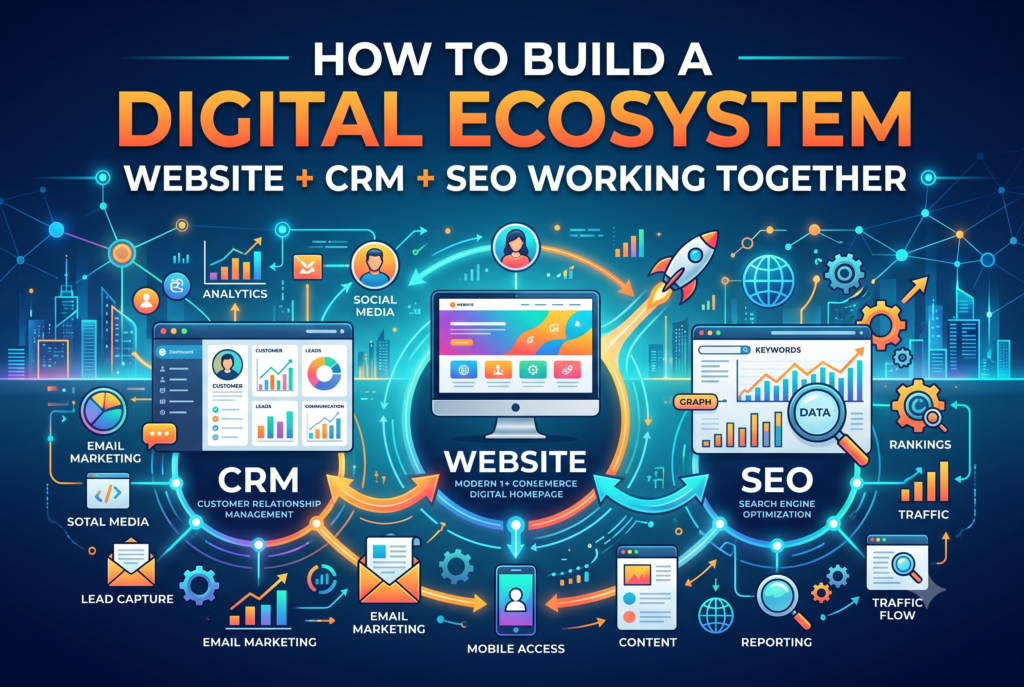
How to Build a Digital Ecosystem: Website + CRM + SEO Working Together
Most small and service-based businesses don’t have a digital ecosystem. They have three separate tools that happen to sit next to each other: a website that collects leads and then forgets about them, a CRM that sits half-empty because nobody’s connecting it to anything, and an SEO effort that brings in traffic nobody can trace back to a single paying customer.
Individually, each piece looks fine. Together, they’re leaking leads, wasting the time your team spends re-entering the same customer details three times, and making it impossible to know which pages or keywords are actually worth investing in.
This guide walks through what a real digital ecosystem looks like, how the website, CRM, and SEO are supposed to work together, and the exact steps to connect yours — whether you’re starting from scratch or trying to untangle systems that were bolted on over the years.
What Is a Digital Ecosystem (And Why Most Small Businesses Don’t Have One)
A digital ecosystem, in plain terms, is what happens when your website, your CRM, and your SEO work as one connected system instead of three separate projects. A visitor finds you through search, your website captures them as a lead, your CRM logs where they came from and follows up automatically, and what you learn from that follow-up shapes what you write and optimize next.
That’s the connected version. Here’s what the disconnected version looks like, and it’s far more common: a contractor’s website ranks for a handful of local terms, gets a steady trickle of traffic, and funnels every inquiry into a shared inbox nobody checks consistently. The CRM — if there is one — holds customer records from years ago and nothing from the website. The SEO work happens in isolation, judged by traffic and rankings, because there’s no data connecting a keyword to an actual booked job.
Neither business is short on tools. They’re short on the connections between them. That’s the gap a digital ecosystem closes — not by adding more software, but by making the software you already have (or are about to choose) actually talk to each other.
The 3 Pillars — Website, CRM, and SEO Explained
Each of these three does a specific job. When one is missing or disconnected, the other two can’t fully do theirs either.
Your Website Is the Storefront and the Data-Collection Point
Your website’s job isn’t just to look good — it’s to capture information every time someone shows interest: a form fill, a booking request, a chat message, a phone click. If your website design doesn’t make that easy, everything downstream suffers, no matter how good your SEO or CRM setup is.
Your CRM Is Where Leads and Customers Actually Live
A CRM built around your workflow is what turns a form submission into a tracked lead with a follow-up sequence, instead of an email that sits unread. It’s also your record of where every customer came from — which matters more than most businesses realize once they start asking which marketing actually pays off.
SEO Is How People Find the Website in the First Place
Without SEO, the website and CRM have nothing to work with — no one’s finding you to fill out that form. But SEO without the other two pillars just produces traffic with no way to prove it turned into revenue.
None of the three replaces the others. A fast-ranking website with no CRM loses leads to a full inbox. A powerful CRM with no SEO has nothing to fill it. A CRM and SEO working together with a slow, confusing website never get the chance to prove themselves, because visitors leave before they convert.
Signs Your Website, CRM, and SEO Are Disconnected
Most businesses don’t realize their systems are disconnected until it starts costing them. A few signs to watch for:
- Your website gets traffic but the phone doesn’t ring — rankings and sessions are climbing, inquiries aren’t.
- Leads sit in a shared inbox or a notification email with no automatic follow-up, so speed-to-response depends on who happens to check first.
- The same customer’s name, phone number, and job details get typed into three different places by three different people.
- Nobody can say which blog post, page, or keyword actually produced a paying customer last quarter — only which pages got the most visits.
- Marketing and sales are working off two different pictures of the same pipeline, because only one of them has access to the CRM.
If two or more of these sound familiar, the fix usually isn’t more traffic or a bigger CRM. It’s connecting what you already have.
How the Website, CRM, and SEO Actually Work Together
Here’s what the connected version looks like in practice, as a single flow rather than three separate jobs:
- SEO brings a visitor to a specific page — a service page, a location page, or a blog post targeting a real search term.
- The website captures that visitor through a form, a booking widget, or a chat prompt, and tags the submission with the page and keyword that brought them in.
- The CRM logs the lead automatically, along with its source, and kicks off a follow-up sequence — no one has to remember to respond.
- The team follows up faster because onboarding and follow-up are automated instead of manual, and the lead doesn’t go cold waiting on a callback.
- Over time, the CRM shows which pages and keywords are actually producing booked jobs — not just traffic — and that data shapes what gets written or optimized next.
That last step is the one most businesses skip entirely, and it’s the difference between SEO that produces vanity metrics and SEO that produces revenue you can point to. It’s the foundation of what we call a digital growth strategy — SEO, the website, and the CRM all feeding the same loop instead of running in parallel.
Step-by-Step: Building Your Digital Ecosystem
If you’re starting from scratch, or trying to untangle systems that grew disconnected over time, here’s the order that actually works.
1. Audit What You Already Have
Before adding anything new, map out what exists today: where do leads currently land, what happens to a form submission, does anyone track which page or keyword a customer came from? Most of the fix is often in reconnecting existing tools, not replacing them.
2. Fix the Website’s Lead-Capture Points First
A slow, confusing, or form-less website will undermine everything built on top of it. Before investing further in SEO or CRM automation, make sure every page that gets traffic has an obvious, working way to capture interest.
3. Pick a CRM That Matches Your Workflow
Resist the urge to pick the CRM with the most features. The right choice is the one that fits how your team actually follows up with leads today. Our comparison of CRMs built for service-based small businesses is a good starting point if you haven’t picked one yet.
4. Build SEO Foundations Around Real Inquiry Intent
Target the searches that lead to actual bookings, not just the highest-volume keywords. A local SEO checklist built for service businesses is the fastest way to make sure the basics — location pages, Google Business Profile, review generation — are in place before you scale content further.
5. Connect the Systems
Wire the website’s forms directly into the CRM, pass source and keyword data along with every submission, and set up the first automated follow-up sequence so no lead waits on a manual response.
6. Review Monthly — By Revenue, Not Just Traffic
Once the CRM is tracking lead source, review which keywords and pages are producing booked jobs, not just sessions. Redirect content effort toward what’s actually converting, and cut or rework what isn’t.
Choosing the Right CRM for Your Website + SEO Stack
The CRM that works best isn’t necessarily the biggest name — it’s the one that connects cleanly to the tools you already use every day: your inbox, your calendar, and (if it applies) your accounting software.
| Business Type | What to Prioritize | Why It Matters for the Ecosystem |
|---|---|---|
| Solo or small service team | Simple lead capture, calendar sync, email follow-up | Fewer moving parts means fewer things that fall out of sync between the website and the CRM. |
| Growing multi-person team | Lead assignment, pipeline stages, reporting by source | You need to see which keywords and pages each team member’s leads came from, not just a shared inbox. |
| Multi-location or franchise | Location tagging, centralized reporting, role permissions | SEO and lead data need to roll up by location without losing which page drove which lead. |
Whatever you land on, make sure it connects to the tools your team already lives in — otherwise adoption stalls. Guides on connecting your CRM to Google Calendar and connecting it to Gmail cover the two integrations that matter most for day-to-day follow-up.
SEO Foundations That Support the Ecosystem
SEO fundamentals aren’t just about rankings — each one also affects how much usable data flows into the rest of the ecosystem.
- Site speed: a slow page loses visitors before they ever reach a form, which means fewer leads for the CRM to work with. Performance optimization pays off in form completions, not just rankings.
- WordPress SEO basics: clean titles, metadata, and structure make it easier for search engines — and for your own reporting — to tell pages apart. See our WordPress SEO optimization guide.
- Local SEO: location pages, a complete Google Business Profile, and reviews are what connect local search intent to an actual inquiry. The local SEO checklist for service businesses covers this step by step.
Get these right and the CRM data you collect downstream is far more useful, because it’s built on traffic that was actually likely to convert in the first place.
When to Redesign vs. Just Reconnect Your Systems
Not every disconnected ecosystem needs a full rebuild. Sometimes the website is fine and the fix is wiring up integrations. Other times, the site itself is the bottleneck — too slow, too rigid, or too old to support the forms and tracking a real ecosystem needs. Our breakdown of signs your business has outgrown its DIY website is a useful gut check before you decide.
If a redesign does turn out to be the right call, a website redesign checklist for service-based businesses and our guide to redesign costs for small businesses will help you scope it realistically before committing.
How to Know Your Digital Ecosystem Is Working
Once the systems are connected, the metrics that matter shift from vanity numbers to ones tied directly to revenue:
- Source-to-close ratio — which keywords and pages are actually producing booked jobs, not just traffic.
- Form-to-booked-job conversion rate — how many leads that fill out a form actually become paying customers.
- Time-to-first-follow-up — how long it takes before a new lead hears back from your team.
- Repeat-customer rate — whether the CRM’s follow-up sequences are actually bringing past customers back.
None of these require a complicated dashboard. They just require the website, CRM, and SEO to be passing the same data back and forth in the first place.
FAQ
What’s the difference between a digital ecosystem and just having a website? A website on its own is one piece. A digital ecosystem is the website, your CRM, and your SEO working together — so traffic becomes tracked leads, and those leads get followed up automatically instead of sitting in an inbox.
Do I need a big, expensive CRM to get started? No. A simple CRM that connects cleanly to your website’s forms and your team’s calendar and inbox will outperform a feature-heavy platform nobody actually uses.
Will connecting my CRM to my website slow it down? Done properly — through a form integration or a lightweight tracking script — it shouldn’t noticeably affect load times. The bigger risk to speed is usually an outdated website, not the CRM connection itself.
How long does it take to connect a website, CRM, and SEO? Reconnecting existing systems can often happen in a few weeks. Building the ecosystem from scratch — including SEO foundations and a full website rebuild if needed — typically takes a few months to fully take hold, since SEO results build over time.
Can I do this myself, or do I need help? Smaller pieces — like connecting a form to a CRM — are often doable in-house. Larger pieces, like rebuilding a website or fixing SEO foundations, tend to go faster with outside help. Book a call if you’d rather talk through what applies to your setup.
Get Your Website, CRM, and SEO Working as One System
A digital ecosystem isn’t a bigger tool stack — it’s the same three pieces most businesses already have, actually talking to each other. Get the website capturing leads properly, the CRM following up automatically, and the SEO work pointed at what actually converts, and the three start compounding instead of working in isolation.
If you’re not sure where the disconnect is in your own setup, book a free audit call or take a look at our recent work to see what a connected system looks like in practice.