
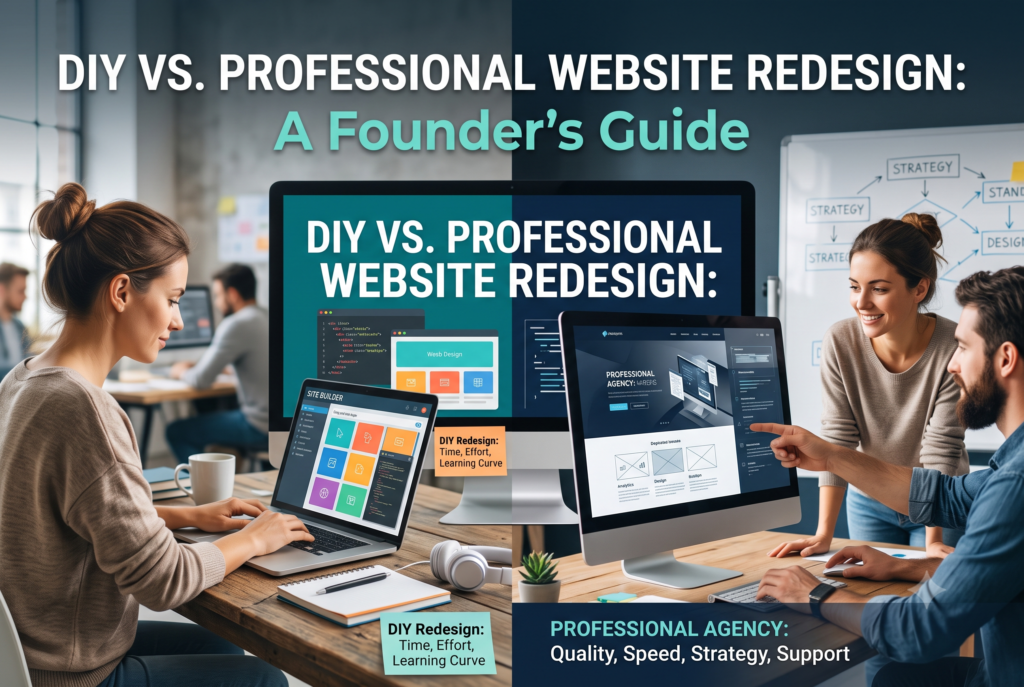
DIY Website vs. Professional Redesign: What Established Founders Should Know
Why This Decision Feels Different Once You’re Established
When you launched, the goal was simple: get something live. A Wix or Squarespace template did the job, and honestly, it was the right call — you had a business to prove out, not a brand to defend.
Things are different now. You have traffic. You have rankings. You have a client base built on more than word of mouth, and a reputation that a sloppy homepage can quietly undercut. The question is no longer “how do I get a website up fast?” It’s “does redesigning this myself put any of what I’ve already built at risk?”
That’s a different decision, with different math. This guide compares the DIY route against hiring a professional the way an established founder actually needs to see it: real costs, real risks — especially to your existing SEO — and a straightforward way to score your own situation before you decide anything. If any of this sounds familiar, you may have already outgrown your DIY website without quite admitting it yet.
The Real Signs You’ve Outgrown Your DIY Website
The warning signs rarely show up as a single dramatic failure. They show up as small frictions that pile up until one day the site is actively working against you.
- It’s slow. Plugins, uncompressed images, and years of quick fixes add up. You don’t notice because your browser caches everything — your visitors aren’t so lucky, and slow load times cost conversions and rankings both.
- Every edit feels risky. Updating one section shouldn’t mean holding your breath to see what breaks. If you’re avoiding changes because the site is fragile, that’s a structural problem, not a content problem.
- The design reads dated. Trends move fast. A site that looked current three years ago can now read as neglected — and a dated site quietly signals a dated business, whether that’s fair or not.
- It can’t do what your business now needs. Bookings, CRM integration, gated content, multi-location pages — if you’re bolting features onto a template that was never built for them, you’ve crossed from “website problem” into “infrastructure problem.”
- Traffic is fine, but conversions aren’t. Visitors show up and leave without acting. That’s usually a structural issue — confusing navigation, weak CTAs, forms that ask too much — not something a new headline fixes.
- You hesitate before sending your own link. This one is the tell most founders admit to last. If you catch yourself over-explaining on sales calls because the site doesn’t say what your business actually does now, the site has stopped doing its job.
If two or more of these sound familiar, it’s worth reading past the “just refresh it yourself” instinct and looking at what DIY actually costs you when your site already carries real traffic and revenue.
What DIY Actually Costs You Over Time
DIY looks cheap because the sticker price is cheap. The full cost only shows up once you count the hours.
| Cost category | DIY (3-year estimate) |
|---|---|
| Platform + template fees | $450–$1,300 |
| Time to build/rebuild (est. 50–80 hrs @ founder’s hourly rate) | $3,750–$9,000 |
| Ongoing edits & maintenance (2–3 hrs/month) | $2,500–$8,100 |
| Redesign cycle (most DIY sites get rebuilt every 2–3 years) | $3,000–$5,000 |
| Lost leads from weak SEO / slow load times | Difficult to quantify, often the largest line item |
| Estimated 3-year total | $10,000–$23,000+ |
That’s before factoring in performance. DIY-built sites on Wix, Squarespace, or an unmanaged WordPress theme routinely score poorly on Google’s mobile PageSpeed benchmarks compared with a professionally built, custom-coded site — and page speed is both a ranking factor and a conversion factor. A one-second delay in load time is enough to measurably reduce conversions.
The hidden cost isn’t the dollars. It’s the opportunity cost of an established founder’s time, spent relearning a page builder instead of running the business that made the redesign necessary in the first place. For a full breakdown of what the alternative actually costs, see our complete guide to website redesign pricing for small businesses.
What a Professional Redesign Actually Delivers
A professional redesign isn’t just a nicer template. Done properly, it changes what your site is capable of doing for the business.
- Strategy before design. A pro plans site architecture around your actual business goals — how visitors move from landing to conversion, not just how the pages look.
- A real technical foundation. Clean, semantic code, proper heading hierarchy, schema markup, and Core Web Vitals performance — the unglamorous SEO groundwork that DIY builders don’t handle well by default.
- Design built to convert, not just to look good. Visual hierarchy, trust signals, and calls to action placed where they actually get clicked, informed by messaging and copywriting that speaks to your current customer, not the one you had at launch.
- A managed process with accountability. Defined phases, a single point of contact, and a team that has done this many times before — instead of trial-and-error on your own schedule.
This is the difference between a website that simply exists and one that actively works as a sales asset. You can see how we approach this in practice through our custom website design and development services, or get the fuller picture of our web design and development process.
DIY vs. Professional Redesign: Side-by-Side Comparison
| Factor | DIY | Professional Redesign |
|---|---|---|
| Upfront cost | Low ($10–$50/mo) | Higher ($3,000–$25,000+) |
| Your time investment | High (50–100+ hours) | Low (a handful of review calls) |
| Design quality | Template-constrained | Fully custom, brand-specific |
| SEO / technical foundation | Basic, platform-dependent | Built in from the ground up |
| Custom functionality | Limited without workarounds | Full capability (booking, CRM, e-commerce) |
| Ongoing maintenance | On you | Managed, often included |
| Risk to existing rankings | High if redirects/metadata are mishandled | Managed as a standard part of the process |
| Best fit | Early-stage, low-traffic, simple sites | Established businesses with traffic, revenue, or complex needs to protect |
If your business is still in the “just need something live” phase, DIY remains a reasonable choice. If you’re past that — which, if you’re reading this, you probably are — the comparison tips clearly toward professional.
How Much Does a Professional Redesign Cost in Orange County?
Pricing varies more by scope than by who you hire, but as a general guide for the Orange County market:
- Freelance designer: roughly $2,500–$8,000 for a straightforward brochure-style site.
- Boutique agency (like thecloudrepublic.com): roughly $5,000–$15,000 for a fully custom, SEO-foundational redesign with strategy, copywriting, and technical setup included.
- Full-service agency, complex builds: $15,000–$25,000+ once you add e-commerce, membership systems, custom integrations, or multi-location pages.
What actually moves the number: how much existing content needs to be rewritten or migrated, whether you need custom functionality beyond a contact form, and how much SEO cleanup the current site requires. Every project we scope starts with a straight answer to “what would this actually cost for your business” — you can see exactly what drives redesign pricing or walk through our redesign and development process directly.
Protecting Your SEO Rankings During a Redesign
This is the section that matters most if you’re an established founder rather than an early-stage one — because you have rankings and traffic to lose, and a DIY rebuild is where most of that damage happens.
A safe redesign requires:
- URL redirect mapping — every old URL pointed correctly to its new equivalent, so you don’t hand Google (and your visitors) a wall of 404s.
- Metadata migration — title tags, meta descriptions, and structured data carried over or deliberately improved, not lost in the rebuild.
- Sitemap and internal link updates — so search engines can recrawl and re-index the new structure without losing what you’ve already earned.
Get any of this wrong on your own and you can watch months or years of ranking progress disappear in a matter of weeks. It’s the single biggest argument for bringing in a professional once your site is actually generating business. Our SEO services are built around exactly this kind of migration, and if local visibility specifically is the goal, our local SEO checklist for Orange County service businesses is a useful companion read.
Common Redesign Mistakes Orange County Founders Make
Even founders who know they need a redesign tend to trip on the same handful of mistakes:
- No clear call to action above the fold — the new site looks great but still doesn’t tell visitors what to do next.
- Ignoring local signals — no Google Business Profile alignment, no local schema, no location-specific content, which matters more in a dense, competitive market like Orange County than almost anywhere else.
- Skipping mobile performance testing — a site that “looks responsive” but is genuinely slow or awkward to use on a phone.
- Treating the redesign as a one-time project — launching and then walking away, instead of treating the new site as an asset that needs monitoring and iteration.
If your traffic has held steady but inquiries haven’t followed, this is often exactly why — see our Orange County guide to fixing traffic that isn’t converting to inquiries for a closer look at the specific fixes.
A Simple Framework: Should You DIY or Hire a Pro?
Answer honestly, then check your score:
- Does your current site generate meaningful organic traffic or rankings you’d hate to lose? (Yes = +2)
- Do you need functionality a website builder can’t handle well — booking, CRM integration, membership, e-commerce? (Yes = +2)
- Is your effective hourly rate high enough that 50–100 hours of DIY work costs more than hiring a pro would? (Yes = +2)
- Have you already tried a DIY redesign and been disappointed with the result? (Yes = +1)
- Do you have real design skill and the time to use it? (Yes = -2)
- Is your site currently a simple brochure with five pages or fewer and low stakes if it’s imperfect? (Yes = -2)
Score of 3 or higher: hiring a professional is very likely the better business decision. Score of 0–2: you’re in genuinely ambiguous territory — worth a conversation before deciding either way. Score below 0: DIY remains a reasonable, low-risk choice for now.
Frequently Asked Questions
Can I redesign my website myself if it already ranks on Google? You can, but it’s the riskiest scenario for DIY. Any mistake in URL structure, redirects, or metadata during a self-managed rebuild can cause a real drop in rankings and traffic that took months or years to build.
How long does a professional website redesign take? Most professional redesigns take 4–8 weeks from kickoff to launch, depending on scope, how much content needs to be rewritten, and how quickly feedback rounds move.
Is it cheaper to redesign in-house or hire an Orange County agency? DIY is cheaper in direct dollars but rarely cheaper once you account for the founder’s time, the learning curve, and the cost of redesign cycles every 2–3 years. For a business with real traffic to protect, professional redesign usually delivers better total ROI.
Will a redesign hurt my current SEO rankings? Not if it’s handled correctly — with redirect mapping, metadata migration, and sitemap updates as standard steps. This is precisely where DIY rebuilds most often go wrong.
How do I know if I’ve outgrown Squarespace or Wix? If you’re fighting the platform to add features it wasn’t built for, if updates feel risky, or if the design no longer reflects the stage your business is actually at, you’ve likely outgrown it — see the full list of signs for a closer look.
Get an Honest Read on Where You Stand
Whether you land on DIY or professional after running the framework above, the decision should be based on your numbers, not a generic rule of thumb. If your site already carries traffic, revenue, or a reputation worth protecting, it’s worth getting a second opinion before you touch anything.
Take a look at examples of redesign work we’ve done for businesses at a similar stage, or book a free strategy call and we’ll give you a straight read on whether DIY or professional makes more sense for where your business is right now.