
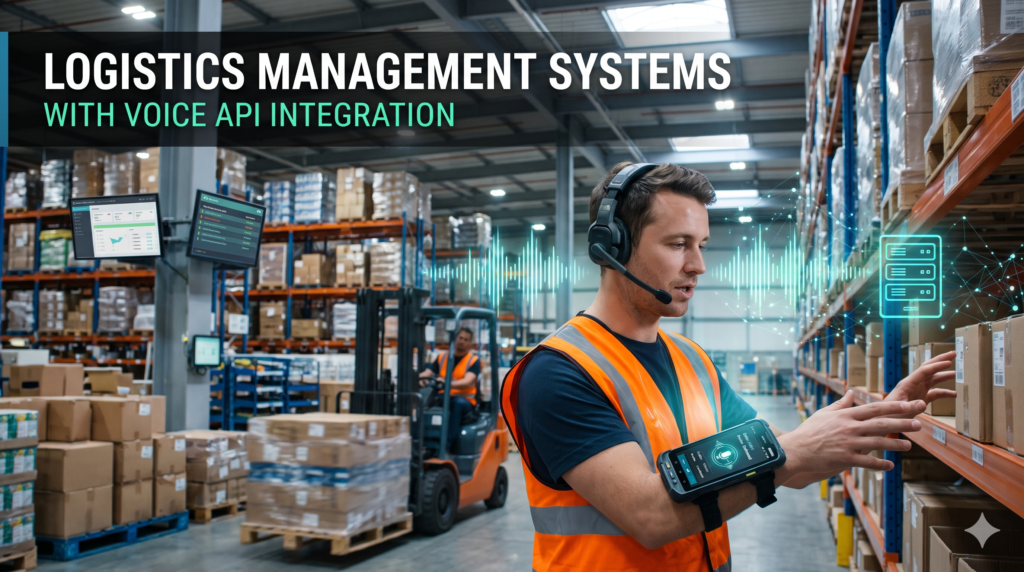
Short answer: a logistics management system with voice API integration connects spoken conversations, either phone calls or warehouse headsets, to the software that runs your freight and inventory. The voice layer listens, understands the request, reads or updates your transport, warehouse and ERP records, and speaks the result back, so drivers, pickers, dispatchers and customers get answers without typing or waiting on hold. Logistics still runs on conversations. Drivers call in from the cab, customers ask where a parcel is, carriers confirm pickups, and warehouse staff have their hands full of cartons. Every one of those moments costs time when a person has to answer, look something up and key the result into a system. A voice API turns those moments into software events. This guide explains how the pieces fit together, which use cases are worth starting with, how to connect voice safely to your systems of record, and how to roll it out without putting live operations at risk.
What Is a Logistics Management System With Voice API Integration?
A logistics management system is the group of software that plans, executes and records the movement of goods. In practice that means a transportation management system (TMS) for loads, routes and carriers, a warehouse management system for inventory and tasks inside the building, and an enterprise resource planning platform for orders, invoicing and finance. Voice API integration adds a spoken interface on top of those systems through a programmable voice service. It helps to separate this from a standalone phone bot. A bot that answers questions from a fixed script is not integrated. An integrated voice layer is connected to live records, so when a caller asks about a shipment it reads the real status, and when a driver reports a delay it can write that update back with an audit trail. There are two common modes, and most logistics operations eventually need both:
- Voice AI agents on calls. Software answers or places phone calls with drivers, customers and carriers, understands what is said, and acts on connected systems.
- Voice-directed work on headsets. Warehouse staff wear a headset linked to a mobile device. The system speaks instructions, such as the next location and quantity, and the worker confirms by voice, which keeps hands and eyes free. Both modes depend on the same foundation: clean data in the TMS, WMS and ERP, clear permissions, and a reliable connection between speech and those systems.
How Voice API Integration Works: The Five-Layer Architecture
Vendors describe their products differently, but the working parts are consistent. Thinking in layers helps you decide what to buy, what to build and where problems will appear.
Layer 1: Telephony and voice API
This layer connects to the phone network or to an app and controls each call. A voice API typically exposes call control through requests and webhooks, so your software is told when a call starts, when a caller speaks and when a call ends, and can respond by routing, transferring or hanging up. Some platforms offer this as a developer service, others bundle it with ready-made agents.
Layer 2: Speech-to-text and intent recognition
Speech-to-text converts audio into text, and intent recognition decides what the person wants, such as a shipment status check or a delivery reschedule. Logistics adds its own vocabulary: bill of lading numbers, proof of delivery, load numbers, dock doors and location codes. Recognition has to cope with engine noise, forklifts, accents and poor mobile signal, so test with your own recordings rather than trusting a demo.
Layer 3: Orchestration and business rules
This is where your operational logic lives. It decides what the agent may do, which questions need a confirmation read-back, how confident the recognition must be before acting, and when to hand the call to a person. Many teams build this layer with workflow tools, and our write-up on AI agent workflow nodes shows how agent logic can be wired into automated processes. Keep rules visible and editable by operations staff, not buried in code.
Layer 4: Connectors to TMS, WMS and ERP
Connectors move data between the voice layer and your systems of record. Most modern platforms offer REST interfaces and webhooks. Data usually travels as structured messages, and if you are new to the format, a plain explanation of the JSON payload structure is useful before you review vendor documentation. An illustrative driver check-in message might look like this:
json
{
  "event": "driver_checkin",
  "load_number": "L-10482",
  "stop_id": "S-02",
  "status": "arrived",
  "reported_by": "voice",
  "confidence": 0.93,
  "transcript_ref": "call-7731"
}
The values here are examples only. Your own field names will follow your TMS or WMS.
Layer 5: Text-to-speech, transcripts and logging
The system speaks back using text-to-speech, and every call should produce a transcript, an outcome and a record of any change made. These logs are what let you audit mistakes, train the agent on real terms and prove what was said if a dispute arises.
Key Use Cases Across Transport and Warehouse
Not every call is worth automating. The best candidates are frequent, rule-based, low in judgement and easy to verify. The table below summarises common use cases and what each touches.
| Use case | Trigger | What the voice layer does | System touched | Human takes over when |
|---|---|---|---|---|
| Driver check-in | Scheduled stop or missed update | Asks status, location and delay, logs the answer | TMS | Driver reports an incident or the answer is unclear |
| Shipment tracking call | Customer or consignee calls in | Finds the shipment by reference and reads status | TMS or WMS | Reference not found, or claim or dispute raised |
| Delivery scheduling | Failed attempt or booking request | Confirms or reschedules the delivery window | TMS, ERP | Customer refuses or the slot is unavailable |
| Carrier confirmation | Load offered or pickup due | Confirms pickup time and basic details | TMS | Rate or terms change beyond approved limits |
| Voice-directed picking | Task released by the WMS | Speaks location and quantity, takes spoken confirmation | WMS | Stock mismatch or a damaged item |
| Exception reporting | Worker or driver reports an issue | Captures the issue by voice and creates a record | WMS, TMS | Safety or compliance concern |
Driver check-ins and dispatch updates
Dispatchers spend large parts of the day asking where a vehicle is and when it will arrive. A voice agent can call or take calls from drivers, collect the status, and write it to the TMS, leaving dispatchers to handle only the exceptions. Hands-free voice is also safer for drivers than a screen.
Inbound shipment tracking calls
Questions about where a shipment is arrive constantly and at all hours. An agent connected to live tracking data can answer them directly, including outside office hours, and pass complex cases to a person with the conversation attached.
Delivery scheduling and failed-delivery follow-up
When a delivery attempt fails, a quick call can confirm whether the recipient still wants the parcel, find out why it failed and arrange a new window while the shipment is still easy to recover. This is one of the clearest places where an automated call replaces manual chasing.
Carrier confirmations and booking calls
Voice agents can confirm pickup times and basic details with carriers. Negotiating rates by voice is possible only inside approved limits, with clear escalation rules, because a wrong commitment has direct cost.
Voice-directed picking, putaway and counts
In the warehouse, the WMS releases a task and the voice system speaks it to the worker, who confirms by voice. Picking, putaway, replenishment and cycle counts are typical tasks. The strength of voice-directed work depends on tight integration with your warehouse software so that task data and confirmations stay in step. Voice also produces useful productivity data, which connects naturally to a labor management system, and its accuracy feeds directly into warehouse inventory management.
Incident and exception reporting
A driver or picker can describe a problem by voice and have it transcribed and filed, instead of writing it up later from memory. That produces faster, more complete records for compliance and follow-up.
Voice API Agents vs Voice-Directed Picking vs Classic IVR
Buyers often confuse these three. They solve different problems, and many operations use more than one.
| Voice API agent | Voice-directed picking | Classic IVR | |
|---|---|---|---|
| Input method | Natural spoken conversation over a call | Short spoken commands and confirmations on a headset | Keypad presses or fixed spoken options |
| Flexibility | High, handles varied phrasing | Structured, task by task | Low, fixed menus |
| Integration depth | TMS, WMS, ERP and CRM through APIs | Mainly WMS and related warehouse systems | Often limited to routing and simple lookups |
| Best environment | Phone-based communication with outside parties | Warehouse floor and hands-busy work | Basic call routing |
| Typical limit | Needs careful testing of recognition and handoff | Mostly confined to the building | Frustrating for anything complex |
Choose by problem, not by trend. If your pain is phone calls with drivers and customers, look at voice agents. If it is picking speed and accuracy, look at voice-directed work. If you only need to route calls, a simple IVR may be enough.
Integration Patterns for TMS, WMS and ERP
The most important design decision is what the voice layer is allowed to change. A system that only reads data is low risk. A system that writes data can cause real damage if it mishears a number. These patterns reduce that risk.
- Start read-only. Let the agent answer status questions before it changes anything. This proves recognition and data quality with almost no downside.
- Add permissioned writes. Grant write access field by field, such as a status update or a delivery window, and nothing broader. Confirm which fields can be updated and by whom.
- Read back before writing. Have the agent repeat the key detail, for example the load number and new status, and ask for confirmation before it saves.
- Use idempotency. Give each update a unique key so a repeated call or retry does not create a duplicate record.
- Plan for failed writes. Decide what happens when the TMS rejects an update: retry, queue, or escalate to a person. The caller should never be told a change was saved if it was not.
- Log every change. Store who or what made each change, the transcript reference and the time.
- Test in a sandbox first. Run realistic call recordings against a test environment before touching live data.
Mapping the fields is tedious but essential. List the identifiers the voice layer will need, such as load number, stop, shipment reference, status codes and location, and confirm how each is formatted in every system. Where several systems must agree, the same discipline used in CRM and ERP integration applies: one agreed source of truth for each piece of data. Voice-captured counts and adjustments should also reconcile with your inventory control method so stock records stay trustworthy.
A Nine-Step Implementation Plan
- Pick one narrow use case. Choose a high-volume, low-risk call type, such as delivery status questions.
- Map data and permissions. Decide which systems the agent reads, which it may write to, and who approves access.
- Decide build or buy. Compare developer platforms with ready-made logistics agents using the criteria in the next section.
- Design dialogue and escalation. Write short prompts, define what counts as low confidence, and set the rule for handing over to a person.
- Connect read-only. Integrate with the TMS or WMS for lookups first.
- Test with real conditions. Use recordings from noisy cabs and warehouses, different accents, wrong reference numbers and failed transfers.
- Run a small pilot. Limit it to one team or one lane and compare results with a baseline.
- Enable controlled writes. Turn on updates one field at a time, with read-back and logging.
- Scale and review. Add use cases gradually, and review transcripts and errors every week.
Voice projects are easiest when treated as part of wider process automation, not a separate gadget. Smaller operations in particular can benefit from the approach described in our guide to small business automation, which starts with one repeatable task and builds from there.
Build or Buy: What to Compare in a Voice API Platform
The market includes developer-focused voice platforms, agents built specifically for freight and delivery, and voice suites for warehouses. Rather than recommending a product, compare them on the same criteria. Pricing models vary, and published prices change, so check each vendor’s current pricing page and request a quote based on your own call volume.
| Criterion | What to ask |
|---|---|
| Latency | How quickly does the agent respond on a live call, and how is this measured? |
| Languages and accents | Which languages are supported, and can you test with your own drivers’ recordings? |
| Connectors | Which TMS, WMS and ERP products are supported, and is it read only or read and write? |
| Write permissions | Can you limit which fields are updated, and are failed writes handled and logged? |
| Human handoff | Does the call transfer with context, and what happens if nobody is available? |
| Logging and audit | Are transcripts, outcomes and changes stored and exportable? |
| Data handling | Where is data stored, how long is it kept, and how are sensitive details protected? |
| Pricing model | Per minute, per workflow or per seat, and what is billed separately, such as telephony and numbers? |
When you compare costs, price the same workload with every vendor, including telephony, phone numbers, implementation and human review, then divide by the number of conversations resolved correctly. That gives a fairer number than cost per minute alone. Teams that want to run several agents or tools together can also study how multi-agent operational intelligence coordinates different automated roles.
Risks and Challenges: Latency, Noise, Security and Failover
| Risk | Effect | Mitigation |
|---|---|---|
| Slow response | Awkward calls, repeated speech, abandoned calls | Test response time on live calls and set a clear fallback |
| Background noise | Misheard numbers and wrong actions | Test with real recordings, use confirmation read-back |
| Accents and languages | Lower accuracy for some speakers | Test across your actual driver and staff groups |
| Wrong write to a system | Incorrect status or stock | Permissioned writes, read-back, audit log |
| Privacy and consent | Legal exposure | Check call recording and data rules in each country you operate in |
| Provider outage | Calls fail and operations stall | Plan a manual or secondary route |
| Poor handoff | Customers repeat themselves | Transfer with context and a callback option |
Security deserves early attention because calls can contain customer details, addresses and shipment information. Apply role-based access, avoid storing more than you need, and redact sensitive fields in transcripts. Our overview of security solutions for business technology is a useful starting checklist. Rules on recording calls and storing personal data differ by country and sometimes by region, so confirm them with a qualified adviser before launch. Resilience matters just as much. A voice layer depends on external providers, so ask what happens when one fails. The lessons in our article on a cloud outage and how to protect your business apply directly: know your dependencies and have a fallback. Finally, accuracy is a governance issue. An agent that confidently gives wrong shipment information damages trust, which is why the principles in AI governance and business-specific accuracy should shape how you set confidence thresholds and review outputs.
How to Measure ROI
Avoid relying on generic percentage claims from vendor pages. Many are vendor-reported or lack a clear source. Instead, record your own baseline before the pilot and track the same measures afterwards.
| Metric | What it shows | Where to read it |
|---|---|---|
| First-contact resolution | Share of calls solved without a person | Call outcomes and handoff records |
| Average handling time | How long routine calls take | Call logs |
| Escalation rate | How often the agent passes calls to people | Handoff records |
| SLA adherence | Whether pickups and deliveries hit their windows | TMS reports |
| Recognition error rate | How often speech is misunderstood | Transcript reviews |
| Failed integration writes | How often updates to systems fail | Integration logs |
| Cost per correctly resolved conversation | The true unit cost | Billing divided by verified resolutions |
Review these weekly during the pilot and monthly afterwards. A falling escalation rate is only good news if accuracy holds, so always read a sample of transcripts alongside the numbers.
Common Mistakes to Avoid
- Automating exceptions before routine calls are working.
- Granting full write access on day one.
- Testing only in a quiet office instead of a cab or warehouse.
- Having no clear route to a human.
- Accepting vague billing terms without defining what counts as a completed task.
- Skipping the pilot and going live across every site at once.
Frequently Asked Questions
What is a voice API in logistics?
A voice API is a programmable service that lets your software place, receive and control phone calls and process speech. In logistics it connects spoken conversations with drivers, customers and carriers to systems such as a TMS or WMS.
Can voice AI update a transportation management system?
Yes, if the voice platform has an integration with permission to write to the TMS. Before enabling it, confirm which fields it can update, how failed writes are handled and whether every change is logged.
Does voice work in a noisy warehouse or truck cab?
It can, but accuracy depends on the recognition engine, microphone and environment. Test with real recordings from your sites, and use read-back confirmation for important numbers.
How is a voice API different from an IVR?
An IVR relies on keypad presses or fixed spoken options. A voice API agent understands natural speech and can act on live data from connected systems, so it handles a much wider range of requests.
How long does integration take?
It depends on how many systems you connect, how clean your data is and whether you start read-only. A narrow pilot is faster than a full rollout, so scope it with your vendor and technical team rather than relying on a general estimate.
Is voice AI secure for shipment and customer data?
It can be, with role-based access, limited data retention, redaction of sensitive fields and compliance with call recording and privacy rules in each country. Ask vendors for current security documentation and data-handling terms.
Will voice automation replace dispatchers or warehouse staff?
It is best used to remove repetitive calls and keystrokes so people can focus on exceptions and judgement. Human oversight remains necessary for disputes, safety issues and unusual situations.
How should I measure success?
Set a baseline before launch, then track resolution rate, handling time, escalation rate, SLA adherence, recognition errors and cost per correctly resolved conversation.
Conclusion and Next Step
A logistics management system with voice API integration works best when you treat it as five layers: telephony, speech recognition, business rules, connectors to your TMS, WMS and ERP, and logging. Start with one narrow, low-risk use case, keep the first version read-only, add writes carefully with confirmation and audit trails, and judge the result against your own baseline. If you are weighing how voice should connect to your existing systems, book a technical consultation to scope the integration, or talk to our team about a first pilot.