
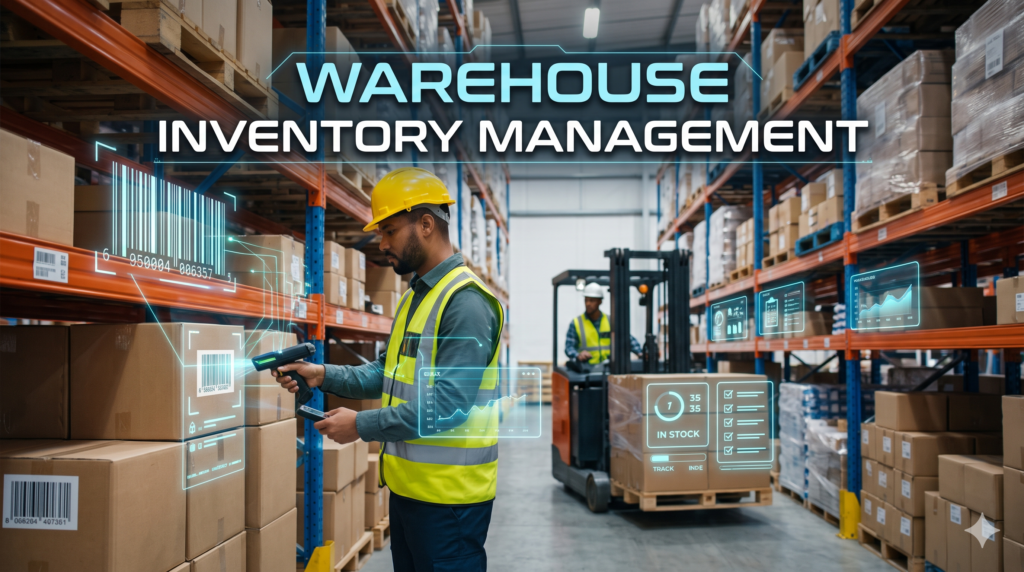
Warehouse Inventory Management: Processes, Methods, and Systems for 2026
Warehouse inventory management is the practice of receiving, storing, tracking, counting and moving goods inside a warehouse so that your records always match what is physically on the shelf. Done well, it keeps stock available for customers without tying up cash in excess product. This guide is for operations managers, online store owners who run their own stockroom and growing distributors. By the end you will be able to set up controls from receiving to shipping, choose a counting method, calculate reorder points, pick the right tools and track the KPIs that matter.
How this guide was produced: it was written by The Cloud Republic team from published industry guidance and reviewed by a person with warehouse operations experience. Where we use example numbers, they are labeled as illustrations and are not benchmarks.
Key takeaways:
- Accurate records at the moment of each physical movement matter more than any single tool.
- A counting routine finds errors early; an annual count finds them late.
- Reorder points and safety stock should come from your own demand and lead time data.
- Inventory data is most useful when it is connected to your ERP, accounting and online store.
What Is Warehouse Inventory Management?
Warehouse inventory management covers everything that happens to stock between the moment a supplier shipment arrives and the moment a customer order leaves, including returns. It connects purchasing, receiving, put-away, storage, picking, packing, shipping and replenishment into one traceable chain. For every item, a good system knows four things: where it is, how many there are, what status it has (available, reserved, damaged, on hold) and what condition it is in.
The goal is not only to count boxes. It is to make sure each item sits in the right location, in the right quantity, and moves through standard steps that update your records immediately.
Warehouse inventory management vs inventory management vs a WMS
These terms overlap, which causes confusion when you are choosing tools or assigning responsibility.
| Inventory management | Warehouse management | Warehouse inventory management | |
|---|---|---|---|
| Focus | Stock levels and planning across the supply chain | Physical operations inside the building | Stock accuracy and flow inside the warehouse |
| Scope | Broader and strategic, across all locations | Operational, within one facility | Where planning meets the warehouse floor |
| Typical owner | Planning or purchasing | Warehouse manager | Warehouse and inventory control together |
| Typical tools | Inventory or ERP software | Warehouse management system (WMS) | Inventory software, scanners, WMS |
Is a WMS the same as inventory software? No. Inventory software tracks what you have and where it is. A WMS also directs the work: where to put stock away, which route to pick, and who does which task.
Why Warehouse Inventory Management Matters
Poor control shows up as cost and lost sales long before it shows up in a report.
- Carrying cost rises when stock sits too long. Storage, handling, insurance and obsolescence all add up.
- Stockouts cost sales and goodwill when a popular item runs out.
- Overstock ties up cash and space, and slow items can become obsolete.
- Order accuracy and speed suffer when items are misplaced or records are wrong.
- Finance stops trusting the numbers when counts and records disagree, which makes planning harder.
The Warehouse Inventory Process, Step by Step
Every warehouse follows a version of the same eight steps. The difference between a reliable operation and an unreliable one is whether each step captures its data at the moment of the physical action.
- Receive and inspect. Check each delivery against the purchase order for quantity, condition and item identity.
- Label and record. Apply scannable labels and post the receipt so the stock becomes available in your system.
- Put away. Move stock to its assigned location and confirm the move by scanning the item and the bin.
- Store and track. Keep items in their designated locations and record every status change.
- Pick and pack. Select items for orders, verify them and pack them safely.
- Ship and confirm. Record what left the building, with the carrier and tracking details.
- Handle returns and adjustments. Inspect returned goods, decide whether they return to stock, and record every adjustment with a reason.
- Replenish. Restock forward pick locations and place purchase orders when stock reaches your trigger levels.
| Step | What to record | Control that prevents errors |
|---|---|---|
| Receive and inspect | Purchase order number, quantity received, condition, discrepancies | Count by scan; separate exceptions from clean receipts |
| Label and record | Item, lot or serial if used, quantity, location | Print labels at receipt; post the receipt immediately |
| Put away | Destination bin, time, user | Scan item and bin before the worker leaves the aisle |
| Store and track | Status changes, transfers between bins | No stock moves without a transaction |
| Pick and pack | Items picked, quantities, substitutions | Scan to verify; record short picks with a reason |
| Ship and confirm | Order, carrier, shipped quantities | Confirm shipment in the system before stock is released |
| Returns and adjustments | Return reason, disposition, adjustment reason | Require a reason code for every adjustment |
| Replenish | Quantity moved to forward pick, purchase orders raised | Minimum and maximum levels for each pick location |
Exceptions will happen: over-receipts, shortages, damaged goods, substitutions and partial picks. Give each one a defined path with a reason code. If you do not, your team will invent workarounds and your records will drift from reality. You can often automate repetitive handoffs, such as receiving confirmations and low-stock alerts, so people spend their time on the exceptions that need judgment.
Inventory Control Methods Compared
You do not need every method. Choose the ones that match what you store and how it sells.
| Method | What it does | Best when | Watch out for |
|---|---|---|---|
| FIFO (first in, first out) | Moves the oldest stock first | Most general goods; items that can age | Needs layout and pick rules that enforce it |
| FEFO (first expired, first out) | Moves the soonest-to-expire stock first | Food, supplements, chemicals, anything with expiry dates | Requires lot and expiry tracking at receipt |
| LIFO (last in, first out) | Treats the newest stock as sold first for valuation | Specific accounting situations | It is a valuation method, not a handling method; see the note below |
| ABC analysis | Groups items by value or importance into A, B and C classes | Deciding where to focus counting and attention | Classes need periodic review as sales change |
| Cycle counting | Counts a rotating subset of items continuously | Keeping accuracy high without shutting down | Counters should ideally be independent of pickers |
| Just-in-time (JIT) | Orders stock only when needed | Reliable suppliers and predictable demand | Weak forecasts or long lead times cause stockouts |
| Cross-docking | Moves goods from receiving to shipping with little or no storage | Perishable or time-sensitive goods | Needs tight inbound and outbound coordination |
| Min-max replenishment | Restocks a location when it falls to a minimum, up to a maximum | Forward pick locations and fast movers | Levels must be tuned as demand shifts |
A note on LIFO: it is generally allowed under US accounting rules but not under IFRS, so confirm the treatment with your accountant before choosing it for valuation.
How to choose: start with FIFO or FEFO for physical rotation, use ABC analysis to decide how closely to watch each item, and add cycle counting so errors are found early. Add JIT or cross-docking only when your suppliers and demand are predictable enough to support them.
One common cycle counting convention is to count A items most often, B items less often and C items least often, with an extra recount whenever a location’s variance exceeds your tolerance. Treat that as a starting point and adjust it based on your own count results.
Reorder Point, Safety Stock, and EOQ: Worked Examples
These three formulas turn demand and lead time data into concrete numbers. The figures below are hypothetical and are for illustration only. Use your own data.
Safety stock (simple method) = (maximum daily use x maximum lead time) minus (average daily use x average lead time)
Reorder point = (average daily demand x lead time in days) + safety stock
Economic order quantity (EOQ) = square root of (2 x annual demand x cost per order / holding cost per unit per year)
Example inputs: average daily demand is 40 units, with a busiest day of 55 units. Average supplier lead time is 7 days, with a longest of 10 days.
| Calculation | Working | Result |
|---|---|---|
| Safety stock | (55 x 10) minus (40 x 7) = 550 minus 280 | 270 units |
| Reorder point | (40 x 7) + 270 = 280 + 270 | 550 units |
So when on-hand plus on-order stock for this item falls to 550 units, it is time to reorder.
EOQ example: annual demand is 12,000 units, each order costs 50 to place, and holding one unit for a year costs 2.40. EOQ = square root of (2 x 12,000 x 50 / 2.40) = square root of 500,000, which is about 707 units per order, or roughly 17 orders a year.
Limits: EOQ assumes fairly steady demand and fixed costs, so use it as a baseline rather than a rule. Recalculate safety stock and reorder points whenever demand patterns or supplier lead times change.
Warehouse Layout, Slotting, and Labeling
Layout decides how far your team walks and how many mistakes creep in.
- Zones: place receiving and staging near the dock, packing and shipping near the exit, and keep returns in their own area.
- Forward pick and reserve: keep a small, easy-to-reach pick area stocked from a separate bulk reserve so replenishment does not block picking.
- Slotting: assign locations by how fast an item sells, its size and weight, and which items are often ordered together. Put fast movers closest to packing.
- Re-slotting: review locations when seasons change, when you add product lines, or when bins consistently underperform.
Give every location a consistent code that names the zone, aisle, bay, level and bin. For example, a code such as A-03-02-B-04 could mean zone A, aisle 03, bay 02, level B, bin 04. Use durable, scannable labels so staff can confirm each move with a scan instead of a keystroke.
Image note: add an original diagram of the zone flow from receiving through reserve, forward pick, packing and shipping. Suggested alt text: “Warehouse zone flow from receiving to shipping.”
Technology: From Spreadsheets to Barcodes, RFID, Inventory Software, and WMS
When a spreadsheet stops being enough
A spreadsheet can work for a small, single-location stockroom. Warning signs that you have outgrown it include several people editing at once, more than one storage location, counts that keep disagreeing with records, overselling online and no audit trail of who changed what.
Barcode scanning vs RFID
Barcode scanning is the usual starting point because it is fast, accurate and widely supported on handheld devices and phones. RFID reads tags by radio, so it can capture many items without line of sight, which helps with pallets and assets. It needs careful tag selection, antenna placement and process design. Many warehouses start with barcodes and add RFID for specific uses where bulk reads justify the setup.
Inventory software vs WMS
Choose based on how complex your operation is rather than on feature lists. Use these questions to compare options without bias toward any vendor.
| Question | Why it matters |
|---|---|
| How many SKUs and locations do you manage? | More of either favors systems built for location-level control |
| Do you need mobile scanning? | Scanning at the point of activity improves record accuracy |
| Which systems must it connect to? | ERP, accounting and store integrations decide how much manual work remains |
| Cloud or on-premise? | Cloud is faster to start; on-premise gives more control but needs IT effort |
| Can it handle exceptions? | Over-receipts, damages and short picks need clear workflows |
| What is the budget and support model? | Total cost includes setup, training and ongoing support |
Connecting inventory to your other systems
Inventory data is most valuable when it flows to the rest of the business. Stock levels should reach your storefront so you do not oversell. Orders should create pick tasks. Receipts and costs should reach finance. Customer commitments in your CRM should reflect what is really available. Poorly connected systems cause overselling, delayed posting, duplicate SKUs and mismatched units of measure.
If you are planning this work, our guides on ERP and CRM integration, how to connect your online store to your inventory and accounting integration explain how these connections fit together. If your store runs on WooCommerce or another WordPress setup, WordPress API integration can link it to an inventory system.
Image note: add an original data-flow diagram showing inventory at the center, connected to ERP, CRM, accounting and the storefront. Suggested alt text: “Inventory data flowing between warehouse, ERP, CRM, accounting and online store.”
Warehouse Inventory KPIs and How to Calculate Them
Track a small set of measures consistently. Set targets from your own baseline rather than from generic benchmarks, and investigate the cause whenever a number moves.
| KPI | Formula | What it tells you | Common cause when it slips |
|---|---|---|---|
| Inventory accuracy | Records matching the count / total records counted x 100 | How far you can trust system data | Late posting, unscanned moves, label errors |
| Fill rate | Lines or units shipped from stock / lines or units ordered | Whether stock is available when customers order | Weak forecasts, long lead times |
| On-time in-full (OTIF) | Orders delivered on time and complete / total orders | Reliability of the whole fulfillment chain | Stockouts, slow picking, carrier delays |
| Days of inventory on hand | Average inventory value / cost of goods sold per day | How long stock sits before it sells | Overstock, slow-moving items |
| Inventory turnover | Cost of goods sold / average inventory value | How quickly stock converts to sales | Overbuying, obsolete stock |
| Pick lines per labor hour | Lines picked / labor hours spent picking | Picking productivity | Poor slotting, long travel routes |
| Count variance rate | Locations with a variance / locations counted | How often counts disagree with records | Receiving errors, mis-scans |
| Shrinkage | (Book value minus counted value) / book value | Unexplained loss | Theft, damage, unrecorded movements |
Dashboards that highlight exceptions, such as negative stock or large adjustments, let supervisors act before problems grow. If you want structured alerts across operations, business process monitoring can help you keep these measures visible.
A 90-Day Rollout Plan
You do not need to fix everything at once. This plan moves from a clean baseline to better controls to connected systems.
| Phase | Actions | Owner | Exit criteria |
|---|---|---|---|
| Weeks 1 to 3: Baseline | Map the physical flow from receiving to shipping, count your A items, fix missing labels, clean item master data (units of measure, barcodes, dimensions) | Warehouse manager | You know your starting accuracy and every location is labeled |
| Weeks 4 to 8: Controls | Scan-confirm receiving and put-away, start a cycle counting program, set minimum and maximum levels for forward pick locations, define exception paths with reason codes | Warehouse manager and inventory controller | Counts run on schedule and variances have owners |
| Weeks 9 to 13: Systems and measurement | Pilot tools against your checklist, connect integrations, build the KPI view, document exception procedures and train the team | Operations lead with IT or a partner | KPIs reported regularly and integrations tested with real orders |
Integration work is often where outside help pays off. If you want an experienced view on connecting your systems, process automation consulting can help you plan it before you commit to a tool.
Common Warehouse Inventory Mistakes and Fixes
| Mistake | Why it hurts | Fix |
|---|---|---|
| Buying software before fixing the process | A system only reflects the data it receives | Standardize steps and labels first, then choose the tool |
| Poor item master data | Wrong units or missing dimensions break receiving and picking | Require barcodes, dimensions and units before an item is first ordered |
| No exception paths | Staff invent workarounds and records drift | Define flows and reason codes for overages, damage and short picks |
| Counts done by the people who pick | Errors can go unnoticed | Use independent counters where possible |
| No owner for variances | Discrepancies repeat | Assign each variance to a named person to investigate |
| Relying only on an annual count | Errors stay hidden for months | Add a continuous cycle counting routine |
| Ignoring returns | Returned stock stays unavailable or is double counted | Record disposition for every return |
Where Automation and AI Fit
Automation can reduce routine work in inventory control. Realistic uses include reorder alerts, flags for unusual inventory adjustments, forecasting support and capturing data from supplier documents.
- Reorder alerts: notify the buyer when an item reaches its reorder point.
- Anomaly flags: highlight large or repeated adjustments for review.
- Document capture: read supplier invoices and packing lists to speed up receiving.
Forecasts are only as good as the history behind them, and people should review automated suggestions. Planning for these features inside AI-driven ERP systems or using AI document analysis for supplier paperwork are two practical places to begin. If you use AI to help produce content or decisions, say so clearly to your readers and customers.
Frequently Asked Questions
What is warehouse inventory management?
Warehouse inventory management is the practice of recording, storing, tracking and moving goods inside a warehouse so that stock records match physical stock. It covers receiving, put-away, storage, picking, shipping, returns, counting and replenishment, and it aims to keep the right items in the right place in the right quantity.
How do you organize inventory in a warehouse?
Divide the building into zones for receiving, reserve storage, forward picking, packing, shipping and returns. Give every location a consistent code, place fast-moving items closest to packing, separate bulk reserve stock from forward pick stock, and label every bin and pallet with scannable labels.
How often should you do cycle counts?
There is no universal frequency. A common approach is to count high-value or fast-moving items more often than slow, low-value ones, and to recount any location where a variance exceeds your tolerance. Start with a schedule you can sustain, then adjust it based on your count variance results.
What is the difference between inventory management software and a WMS?
Inventory management software focuses on what stock you have, where it is and when it moves. A warehouse management system adds control of warehouse work, such as directed put-away, pick routes, task assignment and labor tracking. Smaller operations often start with inventory software and move to a WMS as complexity grows.
How do you track inventory across multiple warehouses?
Use one system of record that holds stock by location, with consistent item codes and units of measure across every site. Record transfers as two linked transactions, an issue from the sending site and a receipt at the receiving site, so stock in transit stays visible.
Is barcode scanning or RFID better for a warehouse?
Neither is better in every case. Barcode scanning is the common starting point because it is simple and widely supported. RFID can read many tags without line of sight, which suits pallets and assets, but it needs careful tag selection and process design. Many sites begin with barcodes and add RFID for specific uses.
Conclusion and Next Step
Reliable warehouse inventory management comes down to three priorities: accurate records captured at the moment of each movement, a counting routine that finds errors early, and systems that share the same inventory data. Start with a clean baseline, tighten your controls, then connect your tools.
If you want help connecting inventory to your ERP, CRM, accounting or online store, you can book a call with our team or request a technical consultation to review your setup.