
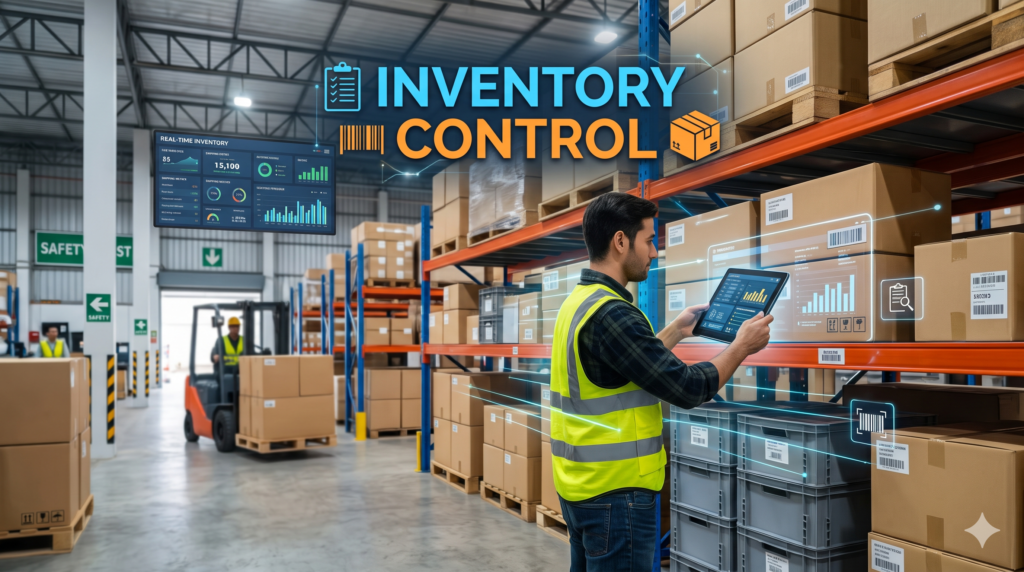
Inventory control is the process of tracking the stock you already hold and applying clear rules for when to reorder, how much to order and how to verify your counts, so you always have the right items in the right place without tying up cash in excess stock. Done well, it protects margins, keeps customers happy and gives you books you can trust.
This guide is written for owners and operations leads at a small business or growing company that holds physical stock. You will learn the main inventory control systems, the techniques that matter (ABC analysis, economic order quantity, reorder points, safety stock, min-max levels, just-in-time and cycle counting), the formulas behind them, the KPIs worth watching, a step by step setup plan and how to connect stock data to your website, CRM and accounting. A worked example follows one hypothetical home goods retailer with 400 products from classification to reorder rules, so you can repeat the method with your own numbers.
What Is Inventory Control?
Inventory control, also called stock control, is the process of managing the stock a business holds, including how much of each item to keep, when to reorder it, where it is stored and whether the records match what is physically on the shelf. The goal is to meet customer demand without carrying more stock than you need.
Three questions sit at the heart of it. What do we have? Where is it? How much should we hold? Inventory control answers the first two with accurate counts and clear locations, and the third with reorder rules based on demand and supplier lead times.
The scope starts once stock has been received and stored. Everything from receiving and put-away to picking, counting and adjusting records belongs here. The outputs are practical: reliable on-hand quantities, reorder triggers that fire at the right time and a regular check that records and reality still agree.
Inventory Control vs Inventory Management
The two terms are often used as if they mean the same thing, and in small teams one person usually does both jobs. The difference is scope. Inventory control is the hands-on discipline of managing stock you already own. Inventory management is the wider process that also covers forecasting, purchasing, supplier selection, storage strategy and valuation.
| Aspect | Inventory control | Inventory management |
|---|---|---|
| Scope | Stock on hand and its movements | Full lifecycle from planning and buying to selling |
| Time horizon | Daily and weekly operations | Monthly, quarterly and annual planning |
| Typical questions | Is the count right? Has this item hit its reorder point? | How much should we buy next quarter? Which suppliers should we use? |
| Typical owner | Warehouse or stock room lead, operations coordinator | Operations manager, purchasing or supply chain lead |
Related terms are worth separating too. Inventory tracking is the recording of item quantities and locations. A warehouse management system directs the physical work of receiving, storing and picking. Inventory optimization uses data to find the best stock levels across products and locations. Inventory control sits between them as the set of rules and checks that keep the numbers dependable.
Why Inventory Control Matters
Cash flow and carrying costs
Every unit on a shelf is cash you have already spent and cannot yet use. Excess stock also adds storage, insurance, handling and the risk that items go out of date or out of fashion. Good control keeps stock levels close to what demand justifies, which frees cash for marketing, payroll or growth.
Stockouts and lost sales
When a popular item is missing, customers buy elsewhere and may not return. Stockouts quietly undermine your efforts to improve sales performance, because the demand you generated has nothing to land on. Reorder rules and safety stock exist to prevent exactly this.
Shrinkage and write-offs
Shrinkage covers theft, damage, miscounts and receiving errors. Regular counts, clear ownership and scanned movements make losses visible early, so you can fix the cause instead of discovering a large gap at year end.
Accurate books and an audit trail
Inventory is usually a major balance sheet item. If counts are wrong, cost of goods sold and profit are wrong too. A controlled process with documented adjustments gives accountants and auditors figures they can rely on.
Types of Inventory Control Systems
Most businesses use one of a few system types, and many move through them as they grow.
Manual and spreadsheet systems
A ledger or spreadsheet recorded by hand is the starting point for many small businesses. It costs almost nothing and works while the product range is small and movements are infrequent. The weakness is human error and delay: every sale, receipt and return must be entered by someone, and the file is easy to edit without leaving a trail.
Perpetual inventory systems
A perpetual system updates stock records at the moment of each transaction. When a unit is sold or received, the quantity changes immediately, usually through point of sale or order system integration and barcode scanning. You get near real-time visibility, which suits retailers and ecommerce sellers, at the cost of software and staff training.
Periodic inventory systems
A periodic system relies on physical counts at set intervals, such as monthly or annually, and updates records afterward. It is cheaper and simpler, but between counts you are working with outdated figures, and discrepancies surface late. It can be adequate for businesses with stable, low-value stock.
Barcode, QR and RFID tracking
These are enablers rather than separate systems. Labels and scanners remove manual typing, which is the biggest source of record errors. Barcodes and QR codes are inexpensive and work well for most operations. RFID reads tags without line of sight, which helps when speed or volume is high, but costs more to deploy.
| System | How it updates | Accuracy | Cost | Best for |
|---|---|---|---|---|
| Manual or spreadsheet | Hand entry | Depends on discipline, often drifts | Very low | Very small ranges |
| Perpetual | At each transaction | High when scanning is consistent | Moderate to high | Retail, ecommerce, multi-location |
| Periodic | At scheduled counts | Accurate only on count day | Low | Stable, low-value stock |
| Perpetual plus cycle counts | Continuous plus rolling checks | Highest | Moderate to high | Growing businesses that need dependable records |
The most common mature setup is a perpetual system with regular cycle counts to catch the drift that no system fully prevents.
Inventory Control Techniques and Methods
No single technique solves everything. Most businesses combine several, using classification to decide where to focus and replenishment rules to decide when and how much to order.
| Technique | Question it answers | Best for | Main risk |
|---|---|---|---|
| ABC analysis | Which items deserve the most attention? | Any business with more than a handful of products | Classes go stale if not reviewed |
| Economic order quantity | How much should I order at a time? | Steady, predictable demand | Assumes constant demand and costs |
| Reorder point and safety stock | When should I reorder? | Items with known lead times | Wrong lead time data causes stockouts |
| Min-max and par levels | What range should stock stay within? | Simple, repeated purchases | Fixed levels lag real demand shifts |
| Just-in-time | Can I hold less by ordering later? | Reliable suppliers, short lead times | Supply disruption stops sales |
| Cycle counting | Do my records still match reality? | All businesses | Skipped counts let errors compound |
ABC Analysis and XYZ Analysis
ABC analysis ranks items by their share of annual consumption value, calculated as unit cost multiplied by annual units used or sold. A items are the small group that accounts for most of the value, B items are the middle, and C items are the long tail of low-value products. A common starting point is to treat roughly the top 70 to 80 percent of value as class A, the next 15 to 25 percent as class B and the remainder as class C, then adjust to your own data.
The point is focus. A items earn tight reorder rules, frequent counts and close supplier attention. C items get light, simple control so they do not absorb time they do not deserve.
XYZ analysis adds a second lens, demand variability. X items sell steadily and are easy to forecast, Y items fluctuate with seasons or trends, and Z items are erratic. Combining the two, an AX item (high value, predictable) can run on tight formulas, while a CZ item (low value, unpredictable) may be better handled with a simple min-max rule. Use the classes to set counting frequency, safety stock policy and review cadence.
Economic Order Quantity (EOQ)
Economic order quantity finds the order size that minimizes the combined cost of placing orders and holding stock. The standard formula is:
EOQ = square root of (2 x annual demand x cost per order / annual holding cost per unit)
Ordering too often inflates order costs. Ordering too much inflates holding costs. EOQ sits at the point where the two balance. It assumes demand and costs are fairly steady, so treat it as a starting point, then cap the result by storage space, supplier pack sizes and minimum order quantities. For erratic items, a min-max or periodic review rule often performs better.
Reorder Point and Safety Stock
The reorder point is the stock level at which you place a new order so that stock arrives before you run out. The standard formula is:
Reorder point = (average daily demand x lead time in days) + safety stock
Safety stock is the buffer that covers variation in demand and in supplier lead times. The more variable the demand or the less reliable the supplier, the larger the buffer needs to be. It is part of the reorder point rather than a separate stockpile, and it should be reviewed as conditions change. Stale safety stock, set once and forgotten, is a common hidden cost.
Min-Max and Par Levels
Min-max control sets a minimum and a maximum for each item. When stock falls to the minimum, you order enough to return to the maximum. It is simple, easy for staff to follow and works well for repeat purchases from a single supplier.
Par levels work similarly, with a target quantity you restock up to, a pattern common in restaurants and clinics. Both approaches are fixed, so review the levels regularly. If demand shifts, rigid levels lead to either lost sales or excess stock.
Just-in-Time, Kanban and Two-Bin Systems
Just-in-time inventory aims to receive goods close to when they are needed, which cuts storage costs and the risk of obsolete stock. It depends on reliable suppliers and short, predictable lead times. If a supplier is late, you have no buffer.
Kanban and two-bin systems are visual versions of the same idea. In a two-bin system you use stock from the first container, and when it empties and you start on the second, that is the signal to reorder. These work well for small, inexpensive, fast-moving items. Vendor-managed inventory takes a different route, with the supplier monitoring your stock and replenishing it, which requires trust and shared data.
Cycle Counting
Cycle counting means counting a small portion of inventory every day or week instead of shutting down for one large annual count. Counts are scheduled by class, so A items are counted most often and C items least. Blind counts, where the counter does not see the system quantity, reduce bias. Every variance should be investigated for its cause, such as a receiving error or a mislabeled bin, not just corrected on paper.
Stock Rotation and the FIFO vs LIFO Distinction
First in, first out (FIFO) and first expired, first out (FEFO) are physical rotation rules. They make sure older or soon-to-expire units leave the shelf first, which matters for perishable and dated goods.
FIFO and LIFO also appear as accounting methods for valuing inventory and calculating cost of goods sold. That is a costing decision, not a control technique, and it changes reported profit and inventory value rather than how stock is handled. Note that LIFO is permitted under US GAAP but not under IFRS. Keep the two ideas separate: rotation controls the shelf, costing methods control the books.
Worked Example: Applying the Techniques to One Product Range
The numbers below are illustrative, not client data. Imagine a home goods retailer with 400 products.
Step 1: classify with ABC. Ranking all 400 products by annual consumption value gives this illustrative split:
| Class | Products | Share of products | Share of annual value |
|---|---|---|---|
| A | 80 | 20 percent | about 75 percent |
| B | 120 | 30 percent | about 20 percent |
| C | 200 | 50 percent | about 5 percent |
Step 2: calculate EOQ for one A item. Suppose a ceramic dinnerware set sells 2,400 units a year. Each purchase order costs 50 dollars to place, and holding one unit for a year costs 4 dollars.
EOQ = square root of (2 x 2,400 x 50 / 4) = square root of 60,000, which is about 245 units.
That means roughly 10 orders a year (2,400 divided by 245 is about 9.8). At this size, annual ordering cost is about 490 dollars and the annual holding cost of the average cycle stock (about 122 units at 4 dollars) is also about 490 dollars. Compare that with ordering 600 units at a time: four orders cost 200 dollars, but holding an average of 300 units costs 1,200 dollars, for a total of 1,400 dollars against about 980 dollars at the EOQ.
Step 3: calculate the reorder point. Average daily demand is 2,400 divided by 365, about 6.6 units a day. The supplier lead time is 9 days, so demand during lead time is about 59 units. The retailer sets safety stock at 20 units to cover demand spikes and late deliveries.
Reorder point = 59 + 20 = about 79 units.
Step 4: put the rule into practice. When on-hand stock for this set reaches 79 units, the system or the stock lead places an order for about 245 units. If everything arrives on time, stock lands near the safety level and the cycle repeats.
Step 5: set the counting schedule. An illustrative cadence: count A items monthly, B items quarterly and C items twice a year, with any variance above a set tolerance investigated immediately.
The result is one clear rulebook per class. High-value items are tightly controlled, low-value items run on simple rules and the whole range is checked on a schedule.
Inventory Control KPIs and Formulas
You cannot improve what you do not measure. These indicators show whether your controls are working. Benchmarks vary widely by industry and product type, so set your own baseline first and track the trend, rather than chasing a generic target.
| KPI | Formula | What it tells you |
|---|---|---|
| Inventory accuracy | Items where record matches count / items counted x 100 | How far you can trust your records |
| Inventory turnover | Cost of goods sold / average inventory value | How quickly stock sells and is replaced |
| Days of inventory on hand | 365 / inventory turnover | How long current stock would last |
| Stockout rate | SKUs out of stock / active SKUs x 100 | How often you cannot sell what you carry |
| Fill rate | Order lines shipped complete from stock / total order lines x 100 | How well stock meets orders |
| Carrying cost rate | Annual holding cost / average inventory value x 100 | The yearly cost of keeping stock |
| Shrinkage rate | (Recorded value minus actual value) / recorded value x 100 | How much stock is lost to theft, damage and error |
Review these monthly, and by class where it helps. A falling turnover with rising days on hand signals overstock. A rising stockout rate despite high stock levels suggests misplaced inventory or poor reorder points. Dashboards and automatic alerts through business process monitoring make exceptions visible without waiting for a monthly review.
How to Set Up Inventory Control Step by Step
- Clean the item master. Give every product one record with a consistent SKU, description, unit of measure and cost. Merge duplicates before anything else, because every later step depends on this list.
- Define locations and bins. Name every storage area and shelf so each item has an address. A clear location code cuts search time and picking errors.
- Classify with ABC analysis. Rank products by annual consumption value and assign classes, as in the worked example.
- Set reorder rules. Use reorder points and safety stock for steady A items, and min-max levels for simpler B and C items. Record real supplier lead times, not promised ones.
- Set the counting cadence. Decide who counts, how often and how variances are approved, using class to set frequency.
- Label and scan. Put barcodes or QR codes on items or bins and scan receipts, moves and picks, so quantities update without retyping.
- Assign ownership and train staff. Name the person responsible for counts, adjustments and reorder approvals, and train everyone who touches stock on the same process.
- Review KPIs monthly. Check accuracy, turnover and stockouts, then adjust rules, classes and safety stock based on what the data shows.
A realistic roadmap is to finish steps 1 to 3 in the first 30 days, add reorder rules and counting cadence by day 60, and have scanning, training and a first KPI review in place by day 90.
Choosing Inventory Control Software
Spreadsheets stop working gradually. Common signs you have outgrown one include a growing SKU count, selling through more than one channel, repeated count errors and hours lost each week reconciling records.
When you evaluate software, look for these capabilities:
- Barcode or QR scanning on mobile devices
- Multi-location stock tracking
- Reorder alerts and purchase order creation
- An audit trail of every adjustment
- Reports for the KPIs above
- Integrations with your storefront, accounting and CRM
The right fit depends on your business type.
| Business type | Prioritize |
|---|---|
| Single-location retail | Point of sale integration, barcode scanning, simple reorder alerts |
| Ecommerce on one platform | Reliable stock sync to the storefront, overselling prevention |
| Multichannel seller | Central stock record, channel allocation, order routing |
| Light manufacturing | Bills of materials, raw materials and finished goods tracking |
| Service team stock | Van or technician stock, mobile counts, usage tracking |
Larger businesses may fold inventory control into a wider ERP system. Forecasting tools, including AI-based ones, can help with demand planning, but they depend on clean history. If your counts and item data are unreliable, fix those first.
Connecting Inventory Control to Your Website, CRM and Accounting
Inventory data is most valuable when it flows to the systems that depend on it. Disconnected tools create double entry, overselling and accounting surprises.
Several connections matter most. Stock levels should sync to your storefront so customers cannot order what you do not have, which is a core part of any CRM and ecommerce integration. Purchase orders and cost of goods sold should flow into your books, which is the purpose of an accounting integration. For business to business sellers, order history in the CRM becomes a useful demand signal when planning reorders.
Technically, these connections run on APIs and webhooks. You can use native connectors where they exist or middleware to link systems that do not talk to each other directly. When your store runs on WordPress, a third-party API integration can connect your inventory system to products, orders and stock levels without manual updates.
Whatever route you choose, decide which system is the single source of truth for quantities, and make every other system read from it. Pilot the connection on a small set of SKUs, check that counts match for a few weeks and then roll it out to the full range.
Common Inventory Control Mistakes and How to Fix Them
| Mistake | Symptom | Fix |
|---|---|---|
| One rule for every SKU | Stockouts on best sellers, dead stock on slow items | Classify with ABC and XYZ, and set rules per class |
| Counting only once a year | Large unexplained variances at year end | Run cycle counts, focusing on A items |
| Ignoring lead time variability | Orders arrive late and stock runs out | Track actual lead times and size safety stock to the variation |
| Safety stock set once and never reviewed | Excess stock or sudden stockouts as demand shifts | Review safety stock each quarter against recent data |
| No clear owner | Variances ignored, adjustments unexplained | Assign named owners for counts, adjustments and reorders |
| Treating a costing method as a control technique | FIFO or LIFO chosen in the belief it controls the shelf | Use FIFO or FEFO for physical rotation and keep costing in the accounting policy |
| Manual reordering | Orders placed late or forgotten | Use reorder alerts and small business automation to trigger purchase orders |
Inventory Control FAQs
What is inventory control in simple terms?
Inventory control is keeping track of the stock you hold and using rules to decide when to reorder and how much to order. It ensures you have enough to meet demand without wasting money on excess.
What is the difference between inventory control and inventory management?
Inventory control focuses on stock you already have, covering counts, locations and reorder rules. Inventory management is broader and also includes forecasting, purchasing, supplier choice and valuation.
What are the main types of inventory control systems?
The main types are manual or spreadsheet systems, perpetual systems that update at every transaction and periodic systems that update at scheduled counts. Many businesses combine perpetual records with cycle counts.
What are the most common inventory control techniques?
Common techniques include ABC analysis, economic order quantity, reorder points with safety stock, min-max levels, just-in-time replenishment and cycle counting. Most businesses use a combination.
How do you calculate reorder point?
Reorder point equals average daily demand multiplied by lead time in days, plus safety stock. If you sell 6.6 units a day, lead time is 9 days and safety stock is 20 units, the reorder point is about 79 units.
How often should you count inventory?
Count by class using cycle counts. A items are usually counted most often, such as monthly, B items less often and C items a few times a year. Add a full count only where regulations or your accountant require one.
What is a good inventory turnover ratio?
It depends heavily on your industry and products, so there is no single good figure. Calculate turnover as cost of goods sold divided by average inventory value, record your baseline and aim to improve it without causing stockouts.
When should a small business move from spreadsheets to software?
Consider moving when your product range grows, you sell through several channels, count errors become frequent or reconciling records takes hours each week. Software also helps once you need scanning and automatic reorder alerts.
Is FIFO or LIFO an inventory control technique?
Not really. FIFO and LIFO are accounting methods for valuing inventory and cost of goods sold. The physical control counterpart is stock rotation, such as FIFO or FEFO, which decides which units leave the shelf first.
How does inventory control reduce costs?
It lowers carrying costs by avoiding excess stock, reduces lost sales by preventing stockouts and cuts losses from shrinkage and write-offs. Accurate records also reduce time wasted on searching and correcting errors.
Conclusion
Effective inventory control comes down to a repeatable routine: classify your products, set rules that match each class, count on a schedule, measure the results and connect your stock data to the systems that depend on it. Start small, with a clean item list and ABC classes, then build up reorder rules, scanning and integrations as your range grows.
If you want help connecting inventory data to your website, CRM and accounting, our team offers digital consulting and process automation, and you can book a call to talk through your setup.