
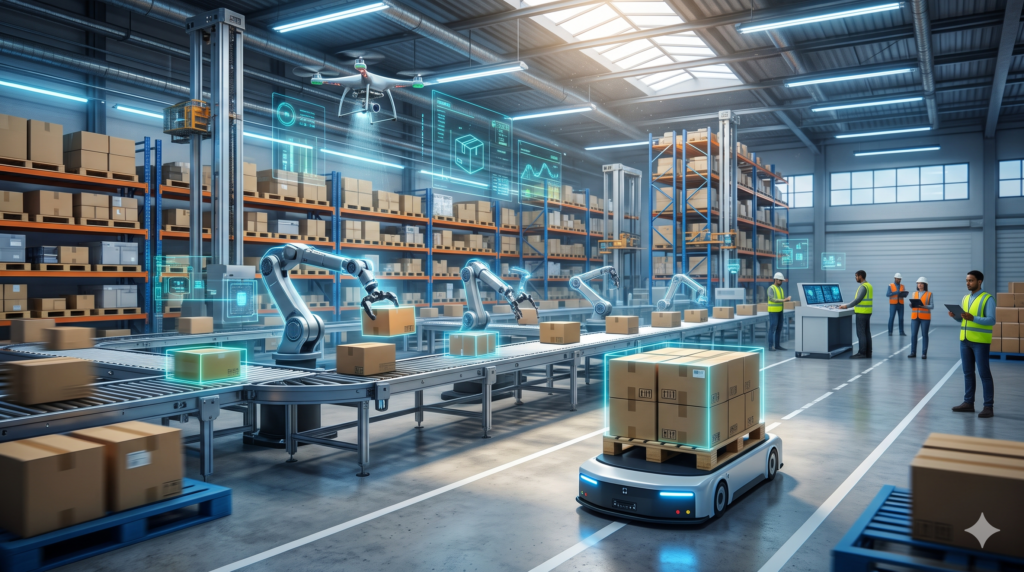
Orders that wait for someone to key them in, stock counts that drift from reality, and carriers chosen by habit instead of data all cost money every day. Automated logistics systems replace those manual handoffs with machines and software that work together, so goods move faster and with fewer mistakes.
This guide explains what automated logistics systems are, the five layers they are built from, the main types and how they compare, what they cost, and how to implement one step by step. It also covers a software-first path for small and mid-sized businesses that are not ready for robots or a new warehouse build.
What Are Automated Logistics Systems?
Definition: An automated logistics system is a connected set of machines and software that moves, stores, tracks and ships goods with minimal manual handling. It usually combines physical equipment such as conveyors, shuttles and robots with software that plans orders, directs the equipment and shares data with the rest of the business.
Logistics automation is the practice. An automated logistics system is the working stack that makes the practice possible. A single barcode scanner is not a system. A scanner that feeds a warehouse management platform, which tells a conveyor where to route a carton, which then triggers a shipping label and a tracking message to the customer, is.
It also helps to separate automation from digitization. Digitization means replacing paper with a screen, for example a pick list on a tablet instead of a printed sheet. Automation means the system makes or executes the decision itself, for example assigning the next pick task to the nearest worker or robot without a supervisor stepping in.
Automation can apply at every stage of the flow of goods:
- Receiving and inbound scheduling
- Put-away into storage locations
- Storage and inventory tracking
- Order picking
- Packing and labeling
- Shipping and transport planning
- Returns handling
Most businesses automate one or two of these stages first and extend from there.
The Five Layers of an Automated Logistics System
Competitor guides usually describe either the machines or the software. In practice a working system needs five layers, and it fails when one is missing.
- Physical automation. The equipment that moves goods: automated storage and retrieval systems, conveyors, sorters, automated guided vehicles, autonomous mobile robots and robotic pickers.
- Control. Software that coordinates the equipment in real time. A warehouse control system (WCS) drives individual machines. A warehouse execution system (WES) sits above it and decides which tasks go to which machine and when.
- Execution. The platforms that run operations. A warehouse management system handles inventory, locations and order workflows. A transportation management system handles carriers, routes and freight.
- Integration. The connections between logistics software and the rest of the business: APIs, electronic data interchange, and links to accounting, customer records and online stores. Orders usually originate in an enterprise resource planning platform or a storefront, so this layer decides whether data flows cleanly or gets retyped.
- Intelligence. Analytics, forecasting and machine learning that turn the data from the other layers into decisions about demand, slotting, routing and maintenance.
A concrete example shows why all five matter. A company installs conveyors and a sorter, but its order data arrives late from the online store. The sorter sits idle waiting for instructions, and workers go back to manual picking. The equipment was fine. The integration layer was the missing piece.
Types of Automated Logistics Systems
Warehouse Automation Hardware
Automated storage and retrieval systems (AS/RS). Computer-controlled equipment that places and retrieves goods from storage locations. Variants include stacker cranes for pallets, shuttle systems for totes and cartons, and vertical lift modules for small parts. They are used where storage density and accuracy matter more than flexibility.
Conveyors and sortation. Belts, rollers and diverters that carry cartons and totes between zones and route them to the right destination. They suit steady, high-volume flows with predictable paths.
Automated guided vehicles (AGVs). Vehicles that follow fixed paths such as magnetic tape, wires or marked routes. They work best in structured environments with repeatable routes.
Autonomous mobile robots (AMRs). Robots that navigate with sensors and onboard maps, so they can route around obstacles and adapt when a layout changes. They suit facilities that change often or lack fixed routes.
Goods-to-person and robotic picking. Instead of walking to the stock, pickers stay at a station while shelves, totes or robots bring items to them. Robotic arms handle repetitive picks and place movements. Pick-to-light systems guide human pickers with lights on shelves and are a lower-cost step.
Logistics Software Systems
Warehouse management system (WMS). The core platform for inventory, locations, receiving, picking and shipping. If you want a deeper explanation of how one works, read our guide to the warehouse management system, and for a broader view of categories, features and pricing, see this overview of warehouse software.
WES and WCS. The control layer described above. A WCS talks to the equipment. A WES decides which orders and tasks flow to which resources. Facilities with a lot of automated equipment usually need at least a WCS.
Transportation management system (TMS). Plans and executes freight movement: carrier selection, rate comparison, load planning, tracking and freight settlement.
Route optimization and dispatch. Software that builds multi-stop delivery routes around driver hours, vehicle capacity, service windows and traffic, and updates them as conditions change. This is the backbone of last-mile automation.
Labor management. Software that tracks productivity and assigns work. A labor management system matters most in mixed operations where people and machines share tasks.
Comparison of System Types
| System | What it automates | Best fit | Integrates with | Main risk |
|---|---|---|---|---|
| AS/RS | Storage and retrieval of goods | High-density, high-accuracy storage | WMS, WES | High upfront cost, low flexibility |
| Conveyors and sortation | Movement and routing of cartons | Steady, high-volume flows | WCS, WMS | Fixed layout, hard to reconfigure |
| AGV | Transport along fixed routes | Structured, repeatable routes | WMS, WES | Breaks down when routes change |
| AMR | Flexible transport and picking assistance | Changing layouts, growing operations | WMS, WES | Fleet management complexity |
| WMS | Inventory, locations, order workflows | Any warehouse with growing volume | ERP, TMS, ecommerce | Poor data quality undermines it |
| TMS | Carrier selection, routing, freight | Businesses shipping across carriers | WMS, ERP | Carrier and rate data upkeep |
| Route optimization | Delivery route planning and dispatch | Last-mile and fleet operations | TMS, customer notifications | Needs accurate address and stop data |
| WES and WCS | Task orchestration and equipment control | Sites with multiple automated systems | WMS, equipment controllers | Added software layer to maintain |
Benefits of Automated Logistics Systems
Speed and throughput. Machines move goods and process tasks around the clock without breaks, and software assigns work the moment an order arrives.
Accuracy. Barcode scanning, automated picking and system-directed workflows reduce mis-picks and keystroke errors. Better data also improves inventory accuracy, which is the foundation of everything else. Our guide to inventory accuracy and the KPIs behind it shows how to measure it.
Space use. Automated storage can use vertical space and narrow aisles that manual operations cannot, which can defer a move to a larger building.
Labor allocation. Automation absorbs repetitive walking and lifting so people can focus on exceptions, quality checks and customer issues. Mixed teams matter here. A Harvard Business Review analysis of warehouse automation, as reported by ShippyPro, found that letting human pickers lead with robots following produced about 8.3 percent higher productivity than letting robots lead.
Visibility. Connected systems show stock levels, order status and equipment performance in real time, which shortens the time between a problem and a response.
Scalability. Systems absorb volume swings with less overtime and fewer temporary hires. That helps most during seasonal rushes and sales events, which is why many teams plan automation around their promotion peaks.
Sustainability. Fewer errors and returns mean less rework and wasted transport, and optimized routes cut distance driven.
To keep benefits measurable, tie each one to a KPI before you start: orders per labor hour, pick accuracy, dock-to-stock time, on-time delivery rate and cost per order.
Costs and ROI of Logistics Automation
What Drives the Cost
- Equipment: hardware such as shuttles, conveyors and robots, and the building work to support them.
- Software licensing: one-time or subscription fees for WMS, WES, TMS or routing tools.
- Integration: connecting the system to your ERP, storefront and carriers. This is often underestimated.
- Installation and downtime: commissioning time, and any disruption to live operations.
- Training: both operators and the team that maintains the system.
- Maintenance and energy: service contracts, spare parts and power use.
A Simple ROI Formula
Annual net benefit = annual savings and gains minus annual running cost Payback period (years) = total investment divided by annual net benefit Annual ROI = annual net benefit divided by total investment
A Hypothetical Example
The numbers below are invented for illustration only. Replace them with your own.
A mid-sized distributor invests 400,000 dollars in a WMS, a conveyor line and integration work. It expects 150,000 dollars a year in labor savings and 30,000 dollars a year in avoided error and return costs. Running costs for software, maintenance and energy are 40,000 dollars a year.
- Annual net benefit: 150,000 plus 30,000 minus 40,000, which is 140,000 dollars
- Payback period: 400,000 divided by 140,000, about 2.9 years
- Annual ROI: 140,000 divided by 400,000, which is 35 percent
Published payback ranges vary widely. ShippyPro reports that large automation projects in Europe commonly pay back in three to seven years, and smaller pilots such as robotic arms or AMRs often within 18 to 36 months. Treat figures like these as context, not a forecast. Payback depends on utilization, labor cost, integration complexity and how well processes were standardized beforehand.
The safest way to manage the investment is in phases: pilot one zone, prove the numbers, then scale.
How to Implement an Automated Logistics System in 7 Steps
- Baseline your operation. Map the current workflow, count manual touchpoints and record error rates, cycle times and cost per order. Exit criterion: you have baseline numbers for the KPIs you plan to improve.
- Standardize processes first. Automation amplifies whatever it is given. A messy process becomes a faster mess. Exit criterion: receiving, put-away, picking and shipping follow written, repeatable steps.
- Clean your master data. Product dimensions, weights, locations and customer addresses must be accurate because systems act on them without a human sanity check. Exit criterion: a data audit shows errors below the threshold you set.
- Choose your architecture. Decide whether software comes first (WMS, TMS, routing) or hardware comes first (conveyors, AS/RS, robots). For most small and mid-sized operations, software first is the safer order. Exit criterion: a documented target architecture covering all five layers.
- Plan integration. List every system the new platform must exchange data with and how: ERP, storefront, carriers, accounting, customer records. Good CRM and ERP integration prevents duplicate entry and conflicting records. Exit criterion: every data flow has an owner and a tested connection method.
- Pilot one zone or lane. Launch in a limited area, run it side by side with the old method, and compare against baseline. Exit criterion: the pilot meets or beats target KPIs for an agreed period.
- Scale, train and measure. Roll out in stages, train operators and maintainers, and review KPIs monthly. Exit criterion: results hold at full volume and the team can run the system without the vendor.
Automated Logistics for Small and Mid-Sized Businesses
Most coverage of this topic assumes a large warehouse and a seven-figure budget. You can get meaningful gains without either by automating the software layers first.
Three starter automations work well for small teams:
- Order routing and inventory sync. Orders from your online store flow into one system that updates stock everywhere, so you stop overselling and stop re-keying orders.
- Shipping labels and tracking messages. Labels are generated automatically, the best carrier service is selected by rule, and customers receive tracking updates without anyone sending them.
- Customer record triggers. Delivery events update customer records and trigger follow-ups, review requests or return instructions.
Getting these working is mostly a workflow and integration problem rather than an equipment problem. Our guide to small business automation covers where to start, and custom CRM automation shows how customer records can drive these steps. If you sell online, a clean ecommerce integration between your store, inventory and customer data is usually the highest-value first project.
Robots and AS/RS start to make sense when volume is sustained, labor is hard to find, floor space is a hard limit, or error rates remain high after processes are standardized. Until then, software-first automation delivers more value per dollar.
Challenges and Risks to Plan For
Legacy integration. Older ERPs and warehouse tools may lack modern APIs. Budget for middleware or phased replacement.
Capital outlay. Hardware is expensive and slow to reverse. Pilots and modular systems reduce the risk of committing too early.
Workforce change. Roles shift from manual handling to exception handling and system supervision. Involve the team early and plan training before go-live.
Cybersecurity. Connected equipment and cloud platforms widen the attack surface. Segment networks, control access and keep software patched. Our overview of cybersecurity for business technology is a useful starting point.
Downtime and maintenance. A stopped conveyor stops the whole flow. Plan preventive and predictive maintenance for conveyors, shuttles and robots, and use equipment maintenance software to schedule it and track asset history.
Cloud dependency. Cloud-based WMS and TMS platforms depend on provider uptime. Read how a major cloud provider outage affects operations, then define a manual fallback procedure so shipping can continue during an outage.
Vendor lock-in. Favor systems with open APIs and clear data export, so you can change a component without rebuilding everything.
Over-automation. Automating a process that low-cost workflow changes could fix is a common mistake. Fix the process, then decide whether it needs a machine.
Trends Shaping Logistics Automation in 2027
Three directions are worth tracking, and each should be validated against current vendor documentation before you commit budget.
AI-assisted planning is moving from reports into decisions, with software proposing or executing slotting, routing and replenishment actions. This is the logistics side of the shift described in our look at AI-driven ERP.
Coordinated software agents are an emerging pattern, where separate agents handle planning, exceptions and customer communication. Our piece on multi-agent AI explains the idea in an operational context.
Digital twins, which are virtual models of a warehouse or network, let teams test layouts and flows before changing the real site. Alongside them, autonomous mobile robots and cloud-delivered WMS and TMS platforms continue to lower the entry cost for smaller operators.
Automated Logistics Systems FAQ
What is an automated logistics system?
An automated logistics system is a connected set of machines and software that moves, stores, tracks and ships goods with minimal manual handling. It typically combines equipment such as conveyors and robots with software such as a WMS and TMS, linked to business systems like ERP and online stores.
What are the main types of automated logistics systems?
The main types are physical systems, such as AS/RS, conveyors, AGVs and AMRs, and software systems, such as WMS, WES and WCS, TMS and route optimization. Most working systems combine several of these, joined by an integration layer.
How much does logistics automation cost?
Cost depends on scope. Software-first projects such as a WMS or routing tool cost far less than equipment-heavy projects such as AS/RS. Budget for equipment, licensing, integration, installation, training and ongoing maintenance, and model the return before committing.
How long does it take to see a return?
It varies with utilization, labor costs and integration complexity. Published industry commentary reports roughly 18 to 36 months for smaller pilots and three to seven years for large projects, but your own baseline data is a better guide than any benchmark.
Can small businesses use automated logistics systems?
Yes. Small businesses can start with software: order routing, inventory sync, automated shipping labels and tracking messages. These deliver savings without a warehouse rebuild, and they can be extended later with hardware if volume justifies it.
What is the difference between a WMS and a WES or WCS?
A WMS manages inventory, locations and order workflows. A WCS controls individual machines such as conveyors and sorters. A WES sits between them and decides which tasks go to which resources and in what order, which matters most when several automated systems operate together.
Conclusion
Automated logistics systems work best when you think of them as five layers rather than one purchase: the equipment, the control software, the execution platforms, the integrations and the intelligence on top. Start by baselining your operation and standardizing processes. Automate the software layers first if you are a small or mid-sized business. Pilot before you scale, and measure everything against the KPIs you set at the start.
If you are weighing your first project and want a second opinion on where to begin, a short technical consultation is a practical next step.