
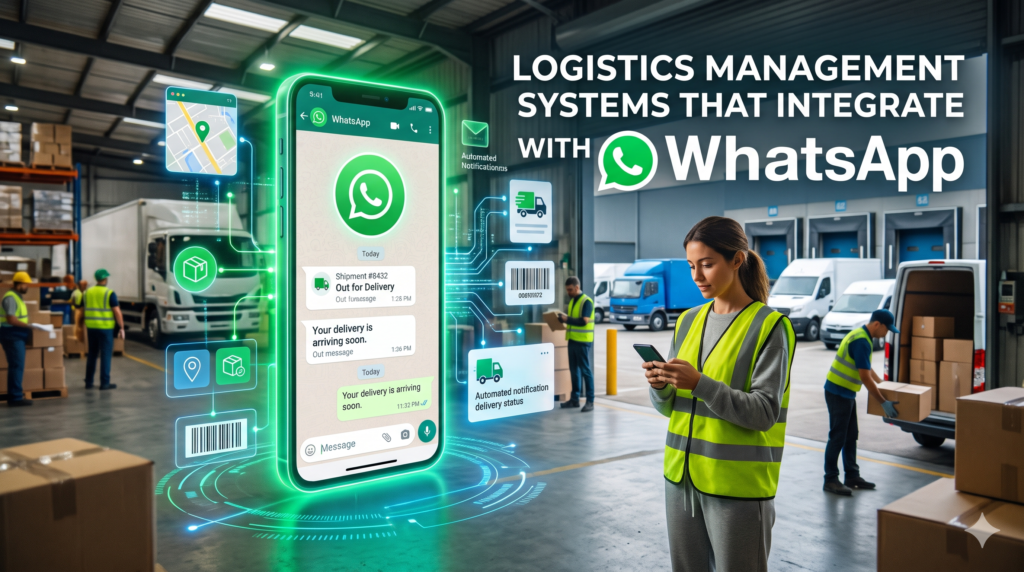
Yes, logistics management systems can integrate with WhatsApp. Transport management systems (TMS), warehouse management systems (WMS), fleet tools and courier platforms connect to it in one of three ways: WhatsApp built into the product, a WhatsApp messaging provider linked by API or webhook, or a custom build on the WhatsApp Business Platform. In every case the logistics system stays the record of orders, loads and stock, and WhatsApp becomes the channel that carries updates to customers, drivers and partners.
This guide is for operations managers, logistics founders and 3PL or fleet owners who want to stop answering the same “where is my order?” (WISMO) questions by phone. It covers:
- what a WhatsApp-integrated logistics system actually is, and which workflows it runs
- which types of systems connect, with examples of platforms that describe WhatsApp features
- how to choose between native, middleware and custom integration
- pricing, compliance, a step-by-step rollout and a buyer checklist, followed by FAQs
What a WhatsApp-Integrated Logistics Management System Is
A logistics management system is the software that holds the facts of your operation: orders, loads, routes, stock levels, delivery status and proof of delivery. WhatsApp does not replace that. It sits on top as the communication layer. When something changes in the system, a message goes out. When a customer or driver replies, the reply is tied back to the right shipment or trip.
There are three ways to connect the two:
- WhatsApp inside the system. The logistics platform has its own WhatsApp feature, so planners and customers use WhatsApp without leaving the product.
- WhatsApp through a messaging provider. A WhatsApp Business Platform provider connects to your system through integrations, webhooks or its developer API and handles templates, inboxes and chatbots.
- WhatsApp through a custom build. Your developers connect directly to the WhatsApp Business Platform and build the logic around your own systems.
It also helps to separate two products that share a name. The WhatsApp Business app is a free app for small teams that reply by hand. The WhatsApp Business Platform, often called the WhatsApp Business API, is built for automated, event-driven messages, multiple agents and system integration. Logistics operations that want status changes to trigger messages need the platform, not just the app.
The basic flow looks like this:
- An event happens in the logistics system, such as a dispatch, a delay or a failed delivery.
- The integration picks up the event through an API call or webhook.
- An approved message template is filled with shipment details.
- The message reaches the customer, driver or partner on WhatsApp.
- The reply, photo or document is returned and linked to the shipment record.
The same logic applies to stock and order events, which is why a warehouse management system is a natural source of WhatsApp triggers, alongside the transport side.
Why Logistics Teams Use WhatsApp for Operations and Customer Updates
Logistics is a communication-heavy business. Customers want to know where a parcel is, drivers need instructions, dispatchers need confirmations and partners need documents. Spreading that across calls, email and personal chat apps creates three recurring problems.
First, repeated WISMO contacts. When customers have no easy way to check a shipment, they call or write, and each contact takes agent time. Proactive updates and a tracking chatbot move that traffic out of the phone queue.
Second, driver communication with no audit trail. A dispatcher who manages many separate driver chats on personal phones has no shared view of who said what about which job. Connecting WhatsApp to the system means messages can be stored against the trip or order and seen by the whole planning team.
Third, one-way alerts. A text message tells a customer something, but it cannot easily collect a reply, a new delivery slot or a photo. WhatsApp supports two-way conversation, buttons and media in the same thread.
What WhatsApp does not replace. WhatsApp is not your TMS, WMS or tracking core. Routing, stock, status and proof-of-delivery records still live in your logistics system. Treat WhatsApp as the layer that delivers and collects messages, not as the database.
Core Logistics Workflows You Can Run on WhatsApp
Most integrations start with a few high-value workflows rather than everything at once. Each one below follows the same pattern: a trigger, a message and a result.
Shipment Status and Tracking Alerts
Trigger: a status change such as dispatched, in transit, out for delivery, delayed or delivered. Message: a template with the order or shipment number and a tracking link. Result: fewer customers needing to ask, because the update arrives before the question.
Delivery Rescheduling and Failed-Delivery Recovery
Trigger: a failed delivery attempt or a pre-delivery availability check. Message: a short note with quick-reply buttons to confirm, pick a new slot or change the address. Result: fewer repeat trips and fewer parcels sent back, because the customer can fix the problem in one tap.
Driver Dispatch and Trip Communication
Trigger: a job assigned to a driver. Message: pickup instructions, route details or manifests, with the driver able to reply with documents and photos. Result: one conversation per job instead of scattered chats. Qargo, for example, describes drivers and subcontractors messaging from the TMS through WhatsApp, with messages stored in the system and linked to the relevant resource.
Proof of Delivery and Delivery OTP
Trigger: delivery completed or about to be handed over. Message: a one-time code for the driver to verify, or a delivery photo or signature sent to sender and receiver. Result: a cleaner record when a delivery is disputed.
Self-Service Tracking by Chatbot
Trigger: a customer sends a tracking number or a keyword. Message: the chatbot queries the logistics system and replies with the latest status, with a handoff to a human agent for exceptions. Result: tracking questions answered outside office hours without staff.
Returns and Reverse Logistics
Trigger: a customer starts a return. Message: confirmation, a pickup slot and a return label link. Result: a single thread that follows the return from request to collection.
Carrier, Subcontractor and B2B Workflows
Trigger: a load that needs a vehicle or a document that is overdue. Message: a request the transporter can accept or reject, a bid entry, or a reminder to submit electronic proof of delivery. Freight Tiger describes exactly these flows: indent acceptance, bidding and ePOD submission through WhatsApp. This is the area consumer-focused guides usually skip, and for B2B operations it is often where the time savings are.
Warehouse and Inventory Alerts
Trigger: low stock, a receiving exception or a delayed order. Message: an internal alert to the right warehouse or supply contact. Result: problems seen while they can still be fixed. Teams that want clear thresholds for these alerts can start from inventory control methods and KPIs and decide which numbers should send a message.
Types of Logistics Systems That Connect to WhatsApp
Different systems own different data, so they trigger different messages. The table below maps each type to what WhatsApp adds.
| System type | What it owns | What WhatsApp adds | Example trigger events |
|---|---|---|---|
| Transport management system (TMS) | Loads, dispatch, carriers, trips | Driver and subcontractor chat, load acceptance, document and POD upload | Load assigned, trip started, POD received |
| Warehouse management system (WMS) | Stock, picking, packing, dispatch | Dispatch notices, exception and low-stock alerts | Order packed, order dispatched, receiving mismatch |
| Fleet and telematics tools | Vehicle location and driving data | ETA and delay alerts to customers and planners | Vehicle delayed, route change, arrival window |
| Courier and last-mile platforms | Tracking events, failed-delivery reasons | Tracking alerts, reschedule flows, OTP | Out for delivery, attempt failed, delivered |
| Enterprise resource planning and order management | Orders, invoices, payments | Order confirmations, invoice and payment notices | Order placed, invoice issued, payment received |
| Fleet maintenance management system | Service schedules, work orders | Service-due and breakdown alerts to drivers and fleet managers | Service due, work order opened |
Most real setups use more than one row. A courier might connect its tracking platform for customer alerts and its dispatch tool for driver messages, with the same WhatsApp business number behind both.
Examples of Platforms That Offer WhatsApp for Logistics
The market splits into two groups. The first is logistics systems that describe WhatsApp as part of the product. The second is WhatsApp messaging and automation providers that connect to logistics systems. This is an illustrative list drawn from vendor pages, not a ranking or an endorsement, and features change, so confirm current capabilities with each vendor before you decide.
| Platform | Category | WhatsApp capability described by the vendor | Best fit |
|---|---|---|---|
| Qargo | TMS | Message drivers from the TMS, with messages stored against trips and orders, and documents such as PODs shared in chat | Haulage and transport teams that want driver chat inside the planning screen |
| Modaltrans | Freight platform | Customers check shipments, track quotes, view customs declaration status and download documents through WhatsApp | Freight forwarders and logistics providers with document-heavy customer service |
| Freight Tiger | Supply chain platform | Transporters accept or reject indents, submit bids and upload ePOD through WhatsApp | Shippers and transporters coordinating vehicle sourcing and delivery proof |
| Waypod | TMS | WhatsApp-based load management and proof of delivery capture, with Cartrack fleet tracking integration | Bulk transporters in South Africa |
| Gallabox | WhatsApp provider | Dispatch, delay and delivery alerts, chatbots, and connection to CRMs, TMS and order systems | Teams wanting WhatsApp automation on top of existing tools |
| Zapelite | WhatsApp provider | Bot flows that query logistics systems through API call nodes, with n8n, Zapier and webhook connections | Teams that want flexible workflow connections |
| GetItSMS | WhatsApp provider | Automated shipment updates, delivery alerts, chatbot and shared inbox, with connection to CRM, ERP and order tools | Businesses wanting a ready dashboard and no-code chatbot |
| Go4whatsup | WhatsApp provider | Shipment alerts, failed-delivery recovery flows and driver dispatch, with integrations listed for couriers and WMS or TMS platforms | Couriers and 3PLs, with an India and UAE focus |
| Zivo | WhatsApp provider | WhatsApp software described as connecting to CRM, ERP, fleet, warehouse and custom logistics applications | Logistics companies in East Africa and similar markets |
When you shortlist, check the claim, not the logo. A vendor that says it integrates with “logistics systems” should be able to name the ones it supports and show how events and replies move in both directions.
Native Integration, Middleware or Custom Build: How to Choose
The route you choose decides your cost, speed and flexibility more than the vendor you pick.
| Option | Best for | Trade-offs |
|---|---|---|
| Native integration | Teams whose logistics system already offers WhatsApp | Fastest to start, but limited to what the vendor supports and tied to that product |
| Middleware or messaging provider | Teams with several systems or a need for chatbots and shared inboxes | Flexible and quick, but adds another vendor and fee layer and depends on the connector quality |
| Custom build on the WhatsApp Business Platform | Larger operations with unusual workflows and in-house developers | Most control, but highest effort, and it needs ongoing maintenance when Meta rules or APIs change |
A middle path for smaller teams is workflow automation. Tools such as n8n can listen for events in one system and trigger a WhatsApp template through a provider, which is covered in this guide to workflow automation with n8n. If the workflow is more specific than an off-the-shelf connector can handle, custom CRM and automation services can fill the gap.
Use these rules of thumb:
- If your TMS or courier platform already supports WhatsApp and covers your use cases, start there.
- If you have two or more systems, or you need a chatbot and shared inbox, a provider is usually the practical choice.
- If your volumes are high and your workflows are unusual, price a custom build against provider fees over a year, not a month.
- If you are unsure, pilot one workflow through a provider first and decide on a custom build once you know what you actually use.
WhatsApp Business Platform Pricing for Logistics in 2026
WhatsApp messaging is not free for businesses, and the rules have been changing, so treat any figure you read in an old article with caution.
Meta sorts business messages into categories: marketing, utility, authentication and service. Utility messages are the ones logistics uses most, such as order confirmations, shipping updates and delivery notices. Authentication messages cover codes, which is where a delivery OTP would sit.
Since 1 July 2025, Meta has charged per delivered template message rather than per 24-hour conversation. In the first period after that change, utility templates sent inside an open 24-hour customer service window were free. Partner and provider notices now report that from 1 October 2026, service messages and utility templates sent inside that window become billable too. Verify the exact current position on Meta’s official pricing page for the WhatsApp Business Platform before you build a business case, because this is the point where older guides are most likely to be wrong.
Rates also vary by destination country and by message category, so this guide does not quote any numbers. Use the table below to think about where your messages fall.
| Message type | Typical logistics use | Billing note |
|---|---|---|
| Utility template | Dispatch alerts, delay notices, delivery confirmations | Billed per delivered message under Meta’s current rules; confirm the treatment inside the customer service window |
| Authentication template | Delivery OTP codes | Billed per delivered message |
| Marketing template | Promotions, service upsells | Billed per delivered message at marketing rates |
| Service message (free-form reply) | Replies to a customer who messaged you | Confirm current billing treatment inside the 24-hour window |
Ask every provider these questions: what is the platform fee, how much do you add on top of Meta’s rates, how do volume tiers work, and how will a pricing change from Meta be passed through to us?
Opt-In, Templates and Compliance Rules to Plan For
A WhatsApp integration is a communications channel, so it comes with rules that your operations team has to respect.
- Opt-in. Get clear permission before sending business-initiated messages, and record when and how it was given.
- Template approval. Messages sent outside the customer service window must use pre-approved templates, and the category you choose affects both approval and billing.
- Message frequency. Limit proactive messages to meaningful milestones such as dispatched, delayed, out for delivery and delivered. Too many alerts lead customers to block the number.
- Regulated documents. Customs filings, dangerous goods declarations and other regulated paperwork stay in the official systems and portals. WhatsApp can point to them or carry copies, but it should not be the only record.
- Personal data. Chat threads contain names, addresses and phone numbers. Decide who can see them, how long they are kept and what is stored in your logistics system versus the messaging provider.
- Access control. Give agents and planners only the permissions they need, and keep an audit trail of who sent what.
For the wider picture on protecting systems and data, see these business security practices.
How to Implement WhatsApp Integration With Your Logistics Software
A good rollout is small, measured and reversible. These eight steps work for most teams.
- Map the events and the owners. List the status changes, exceptions and documents that matter, and decide who owns each message. Start with the three that generate the most calls.
- Choose the integration route. Use the native, middleware or custom decision above based on the systems you already run.
- Set up the WhatsApp Business account. Register a business number, complete business verification with Meta, and set up the display name. Allow time for this, because approval speed depends on how quickly your documents are verified.
- Design and submit templates. Write short, specific templates with clear variables such as order number, time window and tracking link. Choose the right category for each.
- Connect system events. Link the logistics system to the messaging layer by webhook or API. This is where ERP and CRM integration work often overlaps, because customer data and order data need to line up before a message is sent.
- Pilot on one lane or depot. Run one workflow with a limited group. For smaller teams, this fits naturally into broader small business automation planning, so the pilot does not become a one-off.
- Add a chatbot and human handoff. Let the bot handle tracking lookups and common questions, and route exceptions to a person with the conversation history attached.
- Review the metrics and expand. Look at delivery and read rates, contact volume and failed-delivery recovery, then add the next workflow.
Go-live time depends on your size, the number of systems and how deep the integration goes, so be wary of any fixed promise made before your systems have been looked at.
Buyer Checklist: Questions to Ask Before You Choose
Use this table in vendor calls. A vague answer to any row is a reason to ask more questions.
| Question | Why it matters | A good answer looks like |
|---|---|---|
| Does it use the official WhatsApp Business Platform? | Unofficial methods risk account bans and unstable service | The vendor names its official access route and Meta partner status |
| Which of our systems have ready connectors? | Custom work changes cost and timeline | A named list of supported systems, with the rest scoped as custom work |
| Are conversations linked to a shipment, load or order record? | Without a link, chats become a second, disconnected record | Each thread is tied to a tracking number, trip or order |
| Can drivers and subcontractors use it without a new app? | Adoption fails when drivers must install something | Drivers use standard WhatsApp, with the system handling the rest |
| How are opt-in, templates and billing handled? | Compliance and cost surprises appear here | Opt-in capture, template management and a clear billing breakdown |
| Is there human handoff, audit trail and role-based access? | Needed for exceptions, disputes and data protection | Agent inbox, conversation history and permission levels |
| What reporting do we get? | You need evidence to expand or stop | Delivery, read and response metrics, exportable by workflow |
If your team lacks the in-house skills to test those answers, a short technical consultation before signing can save a costly rebuild later.
Metrics to Track and Mistakes to Avoid
Metrics to Track
- WISMO contact volume before and after launch
- Failed-delivery recovery rate
- First-attempt delivery rate
- Proof-of-delivery turnaround time
- Template delivery rate and read rate
- Agent response time and handoff rate to humans
Set your own baseline before launch. Benchmarks quoted by vendors come from their own customers and should not be treated as industry averages.
Common Mistakes
- Messaging too often, which pushes customers to mute or block the number
- Treating WhatsApp as the only record instead of the communication layer
- Skipping opt-in or failing to store proof of it
- Launching a chatbot with no human handoff
- Connecting too many systems at once instead of proving one workflow first
- Relying on old pricing assumptions without checking Meta’s current rules
Frequently Asked Questions
Which logistics systems integrate with WhatsApp?
Transport management systems, warehouse management systems, fleet and telematics tools, courier platforms and ERPs can all connect to WhatsApp. Some, such as Qargo, Modaltrans, Freight Tiger and Waypod, describe WhatsApp features inside the product. Others connect through a WhatsApp messaging provider or a custom build on the WhatsApp Business Platform.
Can a TMS or WMS send WhatsApp notifications automatically?
Yes. A status change in the system can trigger an approved message template through the WhatsApp Business Platform, either natively, through a provider, or by webhook or API. The customer must have opted in to receive business-initiated messages.
Do I need the WhatsApp Business API, or is the Business app enough?
The Business app suits very small teams that reply by hand. Automated, event-driven messages, multiple agents and system integration need the WhatsApp Business Platform, usually accessed through an official provider.
How much does WhatsApp integration for logistics cost?
Cost has two parts: Meta’s per-message charges, which vary by message category and destination country, and any platform or provider fees. Meta’s pricing changes over time, so confirm current rates on Meta’s official pricing page and ask providers what they add on top.
Can drivers use WhatsApp without a separate app?
In many setups, yes. Drivers keep using the WhatsApp they already have, and platforms such as Qargo describe linking driver chats to trips inside the TMS. Check how each vendor stores the messages and links them to jobs.
How long does WhatsApp Business API approval take?
It depends on how quickly business verification is completed and templates are approved. Providers quote different timelines, so ask yours for a realistic estimate instead of relying on a fixed number of days.
Can WhatsApp replace my tracking system?
No. WhatsApp delivers and collects messages. Your TMS, WMS or tracking system remains the record for routes, stock, status and proof of delivery.
Is WhatsApp suitable for small logistics businesses?
Yes. A small carrier can start with one workflow, such as delivery status alerts or a tracking chatbot, using a provider with a ready dashboard before investing in deeper integration. Basic process automation planning helps decide what to automate first.
Conclusion and Next Step
Logistics management systems that integrate with WhatsApp work best when each part does its own job: the system holds the operational record, and WhatsApp carries the conversation. Pick the integration route that fits the systems you already run, check Meta’s current pricing and rules, and pilot one workflow before expanding.
If you want help scoping an integration between your logistics software and WhatsApp, contact The Cloud Republic or book a call to talk through your setup.