
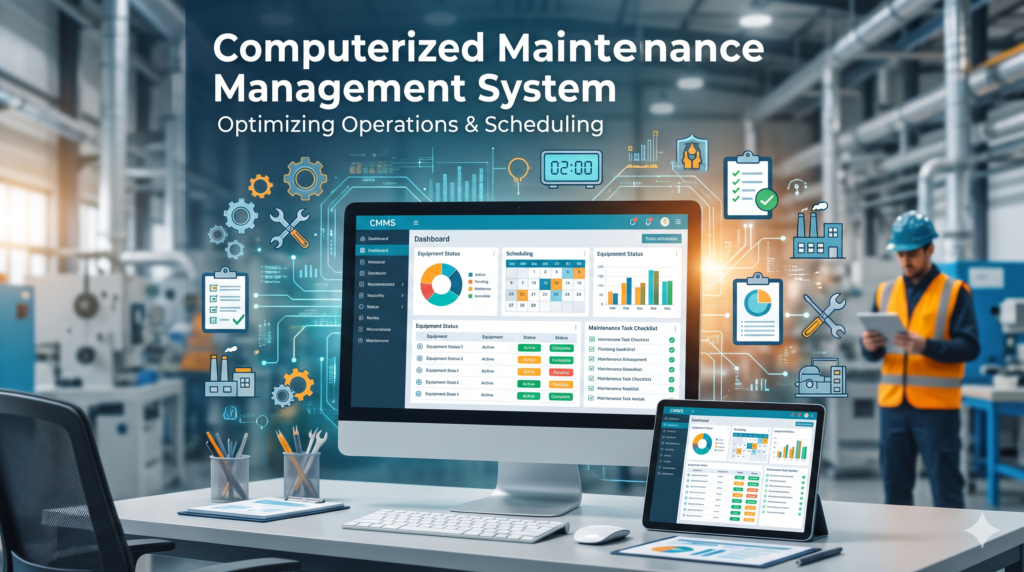
Computerized Maintenance Management System (CMMS): What It Is, How It Works, and How to Choose One
A computerized maintenance management system (CMMS) is software that keeps every maintenance task, asset record, spare part and service history in one place, so a team can plan upkeep instead of reacting to breakdowns. If your maintenance still lives in paper logs, spreadsheets and group chats, a CMMS is the tool built to replace them.
This guide is written for operations managers, facility leads and small business owners. By the end you will know how a CMMS works, which features matter, what the key metrics mean, what it really costs, how to choose one, and how to roll it out without losing your technicians along the way.
What Is a Computerized Maintenance Management System (CMMS)?
A computerized maintenance management system, usually shortened to CMMS, is a software platform that centralizes maintenance information and automates the routine work of keeping physical assets running. It manages work orders, preventive maintenance schedules, asset records, spare parts and reporting from one system. The same software is also called CMMS software or maintenance management software, and some regions spell it “computerised maintenance management system.”
Inside a CMMS you will typically find these records:
- Assets and equipment, with location, make, model and serial number
- Work orders, from the first request to the closed job
- Preventive maintenance schedules and checklists
- Spare parts and stock levels
- Maintenance history, labor hours and costs
- Vendor and contractor details
What it replaces matters just as much as what it does. A CMMS takes the place of paper logs, whiteboards, spreadsheets and scattered messages that go stale the moment a job closes.
| Without a CMMS | With a CMMS |
|---|---|
| Requests arrive by text, email and word of mouth | Every request becomes a tracked work order |
| Servicing depends on someone remembering | Preventive tasks generate automatically |
| Asset history lives in one person’s head | Each asset has a searchable history |
| Parts run out at the worst moment | Stock levels and reorder points are visible |
| Audit records take days to assemble | Records are logged as the work happens |
How Does a CMMS Work? From Request to Report
A CMMS works by turning every maintenance need into a tracked work order, routing it to the right person, and capturing the data when the job closes. That data then drives future scheduling and reporting. Most systems follow the same seven steps.
- Request intake. A fault, inspection finding or tenant request enters the system through a portal, email, QR code scan or sensor alert.
- Work order creation. The request becomes a work order with the asset, location, priority and instructions attached.
- Assignment. The work order is routed to a technician or contractor based on skills, availability and urgency.
- Execution on mobile. The technician receives the job on a phone or tablet, follows the checklist, and logs time, parts and photos.
- Close-out. The job closes with labor hours, parts used and notes recorded against the asset.
- Reporting. Closed work feeds dashboards, so managers can see costs, trends and compliance.
- Next preventive task. The system schedules the next round of recurring maintenance by date, usage or condition.
Here is an illustrative example. A circulation pump at a small hotel starts making noise. A staff member scans the QR code on the pump and submits a request. The CMMS creates a work order tied to that pump, flags it high priority and sends it to the on-call technician. The technician opens the pump’s history on a phone, sees the bearing was last replaced two years ago, swaps it, logs the part and the labor, and closes the job. The pump record updates, the downtime appears on the dashboard, and the next inspection is already scheduled.
The best systems go a step further and automate the repetitive parts of this loop. If your team spends time chasing approvals, you can look at how to automate routine approvals and hand-offs so work orders move without manual pushing.
Core CMMS Features and Functions
Most CMMS platforms share the same core set of capabilities. The real differences lie in how easy those features are to use in the field.
| Feature | What it does | Problem it solves |
|---|---|---|
| Work order management | Creates, assigns, tracks and closes tasks | Lost or forgotten requests |
| Preventive maintenance scheduling | Generates recurring tasks automatically | Breakdowns from missed servicing |
| Asset registry and history | Stores each asset’s details and past work | Guesswork on repair or replace |
| Spare parts and inventory | Tracks stock and reorder points | Stockouts and overstock |
| Reporting and dashboards | Turns activity into metrics | No visibility into cost or downtime |
| Mobile access | Lets technicians work from the floor | Trips back to a desk |
| Inspections and compliance | Logs checks with timestamps | Painful audits |
| Vendor and labor management | Tracks contractors and crews | Unclear accountability |
Work order management
Work orders are the unit of work in a CMMS. Each one records what needs doing, on which asset, who owns it, how urgent it is, and what it cost in time and parts. Priority rules make sure a safety issue jumps ahead of routine work.
Preventive maintenance scheduling
Preventive maintenance tasks trigger on a calendar (every 90 days), on usage (every 500 operating hours) or on condition (when a sensor reading crosses a threshold). The system generates the work order automatically, so servicing no longer depends on memory.
Asset registry and history
The asset registry holds every piece of equipment in a hierarchy, from site down to component. Technicians can scan a QR code to pull up warranty details, manuals and the full repair history. That history makes repair-or-replace decisions defensible.
Spare parts and inventory
A CMMS tracks maintenance, repair and operations stock by location, ties parts to the work orders that used them, and warns you when stock hits a reorder point. If you want to go deeper on stock policy, the guide to spare parts inventory control methods and formulas applies directly to a maintenance storeroom.
Reporting and dashboards
Dashboards show backlog, costs per asset, preventive maintenance completion and downtime. The point is to answer budget questions with data instead of opinion.
Mobile access
Technicians receive jobs, attach photos, log time and close work orders from a phone or tablet. Offline mode matters for basements, plant rooms and remote sites, since the app syncs when a connection returns.
Inspections, compliance and audit trail
Digital checklists capture who inspected what and when. A failed inspection item can raise a corrective work order automatically, and the records are ready when an auditor asks.
Vendor and labor management
External contractors handle specialist work in most operations. A CMMS tracks who did what, under which agreement, so accountability does not stop at the edge of your own team.
CMMS KPIs: MTTR, MTBF, PM Compliance and Backlog
A CMMS earns its place by turning maintenance activity into a few numbers leaders trust. The table shows the common ones, with a formula and a small illustrative example for each.
| KPI | What it tells you | Formula | Illustrative example |
|---|---|---|---|
| MTBF (mean time between failures) | How reliable an asset is | Total operating time divided by number of failures | 1,500 operating hours with 3 failures gives 500 hours |
| MTTR (mean time to repair) | How fast repairs happen | Total repair time divided by number of repairs | 12 repair hours across 4 repairs gives 3 hours |
| PM compliance | Discipline of planned work | Preventive tasks completed on time divided by tasks scheduled, times 100 | 46 of 50 tasks on time gives 92% |
| Backlog | Work waiting to be done | Outstanding work hours divided by available weekly hours | 120 hours waiting with 80 hours available gives 1.5 weeks |
| Planned maintenance ratio | Proactive versus reactive balance | Planned work hours divided by total work hours | 240 planned of 400 total gives 60% |
Read the numbers together. Rising MTBF and PM compliance, alongside falling MTTR and backlog, show a team moving from firefighting to planned work. One number in isolation can mislead, so track the trend over several months. Dashboards like these also work best when they sit inside a wider habit of business process monitoring rather than being checked only when something breaks.
Benefits of a CMMS: What the Evidence Actually Shows
The benefits are real, but they depend on adoption. Software alone does not reduce downtime. Technicians using it every day does.
| Benefit | What changes |
|---|---|
| Less unplanned downtime | Preventive and condition-based work catches failures early |
| Longer asset life | Consistent servicing protects equipment |
| Lower maintenance cost | Planned work usually costs less than emergency repairs |
| Audit readiness | Every task is logged with dates, parts and sign-off |
| Technician productivity | Mobile work and clear priorities cut wasted trips |
| Better decisions | KPIs and history replace guesswork |
Be careful with headline percentages from vendors. As one example of the problem teams face, a 2026 survey of 2,234 maintenance leaders by CMMS vendor MaintainX found that 79% of teams saw the same or more unplanned downtime over the past year. The figure comes from a vendor report, so treat it as one data point on how common the problem is, not as proof of what any particular software will fix.
A better approach is to run your own numbers. The following calculation is illustrative, and every input is an assumption you should replace with your own.
- Assume 6 hours of unplanned downtime per month on a critical asset.
- Assume each hour costs 1,500 dollars in lost output, labor and emergency parts.
- Annual cost: 6 hours x 1,500 dollars x 12 months = 108,000 dollars.
- If planned maintenance cuts that downtime by one third, the saving is 36,000 dollars a year.
The formula to reuse is: hours of downtime per month x cost per hour x 12 x expected reduction. If you want a sense of how steep the cost of downtime can get in other settings, this look at an AWS outage shows how quickly an interruption turns into lost revenue.
Types of CMMS: Cloud, On-Premise and Hybrid
CMMS platforms differ mainly by where the software runs and how you pay for it.
| Cloud (SaaS) | On-premise | Hybrid | |
|---|---|---|---|
| Hosting | Vendor’s servers | Your own servers | Mix of both |
| Cost model | Ongoing subscription, often per user per month | Large upfront license plus hardware | Mix of both |
| Updates | Handled by the vendor | Handled by your IT team | Shared |
| Access | Web and mobile from anywhere | Often limited to your network | Varies |
| Speed to start | Fast | Slow | Moderate |
| Best fit | Most teams and multi-site operations | Strict IT or data-residency rules | Sensitive data kept local, mobile in the cloud |
Most buyers now choose cloud because it avoids server upkeep and supports mobile technicians. That is not automatic for every business, though. If your policies require data to stay on your own servers, on-premise or hybrid may be the only workable option. You will also meet two other labels: a standalone CMMS, which focuses only on maintenance, and a maintenance module inside a larger EAM or ERP suite.
CMMS vs EAM vs ERP vs CAFM: What Is the Difference?
These terms overlap, and vendors use them loosely. Some even treat CMMS and EAM as the same thing, which is why it helps to ask what a product actually includes.
| System | Primary focus | Typical scope |
|---|---|---|
| CMMS | Maintenance operations | Work orders, preventive maintenance, asset history, parts |
| EAM (enterprise asset management) | Full asset lifecycle | Procurement, operation, maintenance, financial tracking, disposal |
| ERP (enterprise resource planning) | The whole business | Finance, HR, supply chain, manufacturing, with a maintenance module |
| CAFM (computer-aided facility management) | Facility operations | Maintenance, space and services, a term common in UK and Middle East markets |
A CMMS is enough when your main problems are disorganized work orders, missed preventive tasks, poor asset history and unreliable parts stock. Step up to EAM when you need lifecycle financials, capital planning and asset governance. An ERP system often includes a maintenance module, but those modules tend to be built for back-office users, so check that technicians can use them comfortably in the field.
Who Uses a CMMS? Industry Use Cases and User Roles
Any organization that depends on equipment, vehicles or buildings can use a CMMS. Typical uses include:
- Manufacturing: scheduling preventive work on production lines and managing spare parts to protect uptime.
- Facilities management: handling HVAC, plumbing and electrical requests across multiple buildings.
- Healthcare: tracking inspection and calibration of critical equipment, closely tied to healthcare technology management practices.
- Fleet: triggering service by mileage or engine hours and keeping a service history per vehicle.
- Education: routing requests from classrooms, labs and dorms to the right technician.
- Government: maintaining buildings, parks and municipal vehicles.
- Hospitality: keeping rooms and plant equipment in service without disturbing guests.
- Property management: handling tenant requests, recurring maintenance and vendor work across units.
Inside the system, different roles see different things.
| Role | What they do in a CMMS |
|---|---|
| Maintenance technician | Views and closes work orders, logs time and parts, submits requests |
| Maintenance manager | Creates and assigns work, schedules preventive tasks, tracks KPIs |
| Reliability engineer | Uses failure history and downtime trends for root cause analysis |
| Inventory manager | Tracks parts, sets reorder points, raises purchase orders |
| Operations manager | Watches dashboards for cost, uptime and backlog |
| Administrator | Manages users, permissions and integrations |
How Much Does a CMMS Cost?
Most modern CMMS products are priced per user per month, so cost scales with the size of your maintenance team more than with the number of assets. As one vendor example, UpKeep cites 45 dollars per user per month for a plan. Treat that as a single data point, not a market average, since prices vary widely by vendor and tier.
Common pricing models:
- Subscription (SaaS): a recurring fee, often per user per month, with lower upfront cost and automatic updates.
- Tiered plans: basic, professional and enterprise levels, with advanced features such as API access and multi-site controls in higher tiers.
- Perpetual license: a large one-time fee. UpKeep notes that annual maintenance and support on these licenses is often 10 to 20 percent of the original cost, which is a vendor claim worth confirming in any quote.
The sticker price is rarely the full cost. Use this three-year total cost of ownership checklist when comparing quotes:
| Cost item | Question to ask |
|---|---|
| Subscription or license | What is the total over three years, including any price increases? |
| Implementation | Is setup included or billed separately? |
| Data migration | Who imports assets, history and parts, and at what cost? |
| Training | Is training included, or charged per session? |
| Integrations | What does connecting to ERP, accounting or sensors cost? |
| Devices | Do technicians need new phones or tablets? |
| Support tier | Is fast support included or reserved for higher tiers? |
Put every quote into the same table so you compare like with like, then weigh the three-year total against the downtime calculation above.
How to Choose a CMMS: An 8-Point Checklist
The right CMMS is the one your technicians will actually use. Score each vendor against these eight points, and have your own team test them.
- Ease of use. If it takes many clicks to find a work order, technicians will find a workaround.
- Mobile and offline access. The mobile app should cover most desktop tasks and work without a signal.
- Preventive maintenance triggers. Check for time, usage and condition-based scheduling.
- Asset hierarchy and inventory depth. It should handle your real structure, from site to component, and your parts storeroom.
- Reporting. Look for dashboards you can configure without waiting on IT.
- Integrations. Ask about ERP, accounting, sensors and an open API.
- Security. Ask about certifications such as SOC 2 and ISO 27001 rather than assuming them.
- Support, onboarding and scalability. Test response times and ask how the system handles more users and sites.
Before booking demos, write down your own requirements. If you want help turning requirements into a shortlist, a short technical consultation is a sensible place to start.
During any trial, hand technicians a timed five-task script: find an asset, open a work order, log time and a part, attach a photo, and close the job. Count the clicks and the minutes. Their verdict should weigh more than the sales demo.
CMMS Implementation: A 5-Step Plan and Common Mistakes
A successful rollout is mostly about people and data, not software. Follow these five steps.
- Set goals and KPIs. Pick measurable targets, such as a preventive maintenance completion rate or a repair time. Name an owner, often called a CMMS champion, and include a frontline technician in the project.
- Audit and migrate data. Gather your asset list, 12 to 24 months of work history if you have it, parts inventory and preventive schedules. Remove duplicates, standardize names and decide how far back history goes before importing.
- Configure the system. Set user roles, work order types, priorities and notifications. Keep it simple at first.
- Train by role. Train managers first, then technicians on the daily tasks they will use, then anyone who only submits requests.
- Pilot, go live and review. Start with one site or team, fix workflow gaps, then roll out wider. Review adoption at 30, 60 and 90 days. A phased, agile approach lets you adjust as you learn instead of betting everything on one launch date.
A useful starting asset register has these fields: asset name, unique ID, location, parent asset, make, model, serial number, install date, criticality, warranty details and manuals.
Rollout time varies a lot. UpKeep says most of its teams are live in one to two weeks for standard rollouts and 30 to 60 days for complex ones, but that is a vendor claim, so ask any vendor for references at your size.
| Common mistake | Fix |
|---|---|
| Low technician adoption | Involve technicians in selection, choose a mobile-first tool, train by role |
| Dirty data | Clean duplicates and naming before import |
| No executive support | Tie KPIs to cost and uptime that leadership cares about |
| Over-customization | Start with core functions, add complexity later |
| No clear owner | Name a champion with time set aside for the project |
The Future of CMMS: IoT, Predictive Maintenance and AI
Newer CMMS platforms connect to sensors so that a vibration or temperature reading can create a work order automatically. Vendors also add AI to triage requests, suggest parts and forecast failures. Ideas such as multi-agent AI operational intelligence show where operations software is heading.
These capabilities only pay off when the basics are in place. Before investing, check three things: your asset data is clean, your failure codes are consistent, and the assets you care most about have sensors. For most teams, predictive features are a later-stage goal. Master work orders and preventive scheduling first.
Do You Actually Need a CMMS? A Quick Self-Check
Answer yes or no to each question.
- Do maintenance requests arrive through several different channels?
- Is most of your team’s time spent on reactive repairs?
- Can you not say when a key asset was last serviced?
- Have critical repairs stalled because a part was out of stock?
- Does preparing for an audit take days?
- Can you not report downtime or maintenance cost by asset?
- Do preventive tasks get missed?
- Does your tracking spreadsheet depend on one person who understands it?
As a rule of thumb, several yes answers mean a CMMS trial is worth running. This is a judgment call, not a statistic. If most answers are no, tidying your current process may be enough for now. Either way, mapping how work flows today is a good first step, and a wider look at business process automation can show where else time is leaking.
Frequently Asked Questions About CMMS
What does CMMS stand for?
CMMS stands for computerized maintenance management system. It is software that centralizes work orders, preventive maintenance, asset records and spare parts so teams can plan upkeep instead of reacting to breakdowns.
What is CMMS software used for?
CMMS software is used to manage maintenance work from one place. It creates and tracks work orders, schedules preventive tasks, stores asset history, monitors spare parts and reports on measures such as repair time and downtime.
How does a CMMS work?
A CMMS turns each maintenance need into a tracked work order, routes it to a technician, and records labor and parts when the job closes. That data then drives preventive scheduling and reports on performance.
What is the difference between a CMMS and EAM?
A CMMS manages day-to-day maintenance operations such as work orders and preventive tasks. EAM covers the full asset lifecycle, including procurement, financial tracking and disposal, with maintenance as one part of a broader scope.
How much does a CMMS cost?
Most CMMS products are priced per user per month, with cost depending on user count, feature tier, integrations and implementation. Compare quotes over three years, including training, data migration, devices and support, not just the subscription.
How long does CMMS implementation take?
It varies with your size and data quality. One vendor, UpKeep, says standard rollouts take one to two weeks and complex ones 30 to 60 days. Clean asset data and a clear owner shorten the timeline.
Can a small business use a CMMS?
Yes. Small teams can start with core functions such as work orders, asset records and preventive schedules. Choose a mobile-first tool with simple setup, and add features only when the team is using the basics.
Does a CMMS work offline?
Many modern CMMS apps do. An offline-capable mobile app lets technicians view jobs, log time and close work orders without a signal, then syncs automatically when the connection returns. Confirm this during your trial.
Conclusion
A computerized maintenance management system gives a maintenance team one source of truth for assets, work orders, parts and history. It will not fix a weak process on its own, but it makes good practice repeatable and measurable. Start by auditing your current records, run the self-check above, and trial two or three tools with your technicians doing the testing.
If you want help mapping your workflows or planning an automation project around maintenance, talk to The Cloud Republic about your setup.