
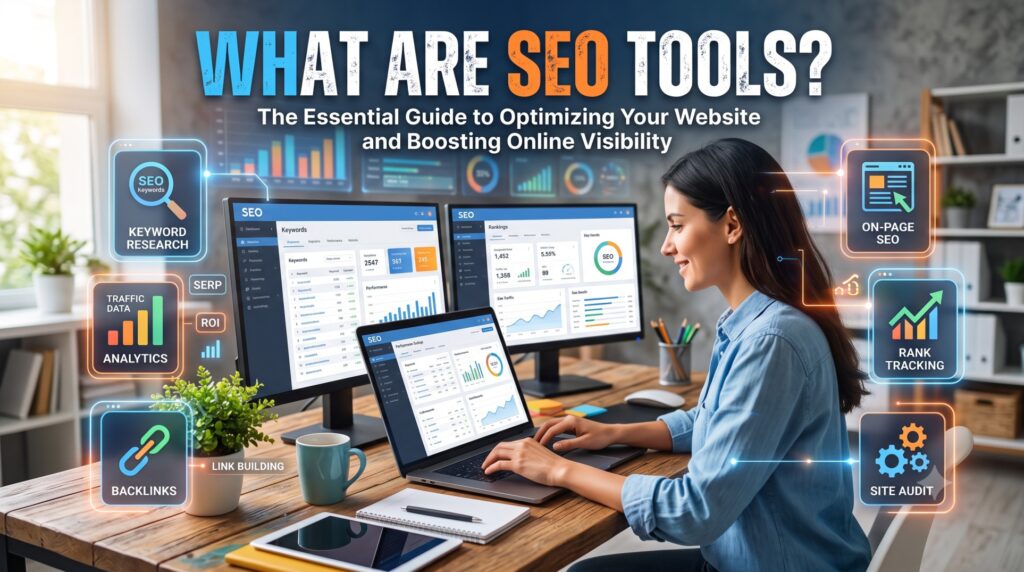
What Are SEO Tools? Types, Examples and How to Choose the Right Ones (2026)
SEO tools are software products that collect, organize and analyze search data so you can improve how a website appears in search engines. They help you find keywords, check technical health, optimize pages, study links, track rankings and report results. This guide explains what SEO tools are, the main types, free and paid options, and how to build a toolkit that fits your business without wasting budget.
It is written for business owners, marketers and beginners who keep hearing about Semrush, Ahrefs, Google Search Console and similar names but are not sure which ones matter. By the end you will know what each type of tool does, which questions it answers, and what to use first.
What Are SEO Tools and What Do They Do?
An SEO tool is any application or online service that supports search engine optimization. Some tools are broad platforms that cover many tasks. Others do one job well, such as crawling a site or suggesting keywords. What they share is simple: they turn raw search information into data you can act on.
It helps to be clear about what SEO tools are not. They do not optimize your website automatically, and they do not guarantee rankings. A tool might tell you that 40 pages have missing title tags, but a person still has to write better titles. Think of SEO tools as instruments on a dashboard. They show you what is happening, and your strategy decides what you do about it.
Another useful distinction is the source of the data. Some data is first-party, meaning it comes directly from the search engine or from your own site. Google Search Console is the best example, because it shows real impressions and clicks for your pages. Other numbers, such as estimated traffic or keyword difficulty scores in third-party platforms, are modelled estimates. Both are valuable, but they should not be treated as equally exact.
SEO tools are also different from general web analytics tools. Analytics platforms such as Google Analytics 4 explain what visitors do after they arrive. SEO tools focus on how people find you and what stands between your pages and better visibility. Most teams need both.
Finally, the word search no longer means only Google. People now find information through Bing, voice assistants and AI answer engines. A modern toolkit therefore includes at least some way to watch how your brand appears beyond a single results page.
If you want expert help turning data into growth, our team offers professional SEO services that combine the right tools with hands-on strategy.
Why SEO Tools Matter for Your Business
Search is competitive, and guessing is expensive. SEO tools matter because they replace opinion with evidence. Here is what they give you in practice:
- Visibility into problems you cannot see. Crawl errors, blocked pages, redirect chains and duplicate content are invisible to a casual visitor but can hold rankings back.
- Time savings. Checking hundreds of pages by hand is unrealistic. A crawler does it in minutes and sorts issues by type.
- Competitor insight. You can see which topics rivals rank for and where your content has gaps.
- Proof of results. Reports show whether work is moving impressions, clicks and conversions, which makes budget conversations easier.
- Better priorities. Data shows which fixes are likely to matter most, so you do not spend a month on a minor issue.
Without tools, many businesses publish content that nobody searches for, or ignore a technical fault that quietly blocks a whole section of the site. Tools do not remove the need for skill, but they make skilled work faster and more accurate. If you are unsure what a full engagement involves, read our guide on what SEO services include.
Types of SEO Tools at a Glance
Most SEO tools fall into a handful of categories. The table below shows the question each type answers and who usually needs it first.
| Tool type | Question it answers | Typical output | Who needs it first | Free example |
|---|---|---|---|---|
| Keyword research | What do people search for? | Keyword ideas, volume, difficulty, related questions | Anyone planning content | Google Keyword Planner, Google Trends |
| Technical SEO and audit | Can search engines crawl and index my site? | Error lists, status codes, redirect and canonical reports | Site owners and developers | Google Search Console, PageSpeed Insights |
| On-page and content | Does this page match search intent? | Title, heading and content recommendations | Content writers and editors | Yoast SEO free version |
| Backlink analysis | Who links to me and to my competitors? | Referring domains, anchor text, link lists | Teams building authority | Search Console links report |
| Rank tracking | Where do my pages appear over time? | Position reports by keyword, location and device | Anyone measuring progress | Search Console performance report |
| Local SEO | Do nearby customers find my business? | Listing, review and local ranking data | Service and storefront businesses | Google Business Profile insights |
| AI search visibility | Does my brand appear in AI answers? | Mentions and citations in AI responses | Brands in competitive niches | Manual spot checks |
Each type is explained in more detail below.
Keyword Research Tools
Keyword research tools show what your audience actually types into search engines. A good one reports estimated monthly search volume, how hard a term is to rank for, the intent behind it and related questions people ask. This is the starting point for almost every content plan.
Free options exist. Google Keyword Planner offers volume ranges and ideas, and Google Trends shows how interest rises and falls over time. Paid platforms add larger databases, filters and competitor keyword views. When you use these tools, look beyond volume. A phrase with modest volume but clear buying intent can be worth more than a broad term that attracts casual readers. Long-tail keywords, which are longer and more specific phrases, are often easier to win and convert better.
Keyword data should feed a plan, not sit in a spreadsheet. Our guide to SEO content strategy shows how to turn keyword lists into a publishing roadmap.
Technical SEO and Site Audit Tools
Technical SEO tools check whether search engines can crawl, understand and index your site. A crawler such as Screaming Frog SEO Spider visits your pages like a search engine would and reports what it finds. Google Search Console adds real data from Google about indexing and enhancements, and PageSpeed Insights measures loading performance and Core Web Vitals.
Typical findings from an audit include:
- Broken links and pages returning error status codes.
- Redirect chains and loops that waste crawl time.
- Missing, duplicate or conflicting canonical tags.
- Pages blocked from indexing by mistake, such as a stray noindex tag.
- Slow templates, oversized images and render-blocking scripts.
Audit tools usually group issues by severity, which helps you decide where to start. Speed is one of the most common problem areas, and fixing it often improves both rankings and conversions. If your audit points to slow pages, our speed and performance optimization service addresses the underlying causes. For harder problems such as indexing conflicts or complex migrations, a technical consultation can save weeks of trial and error.
On-Page and Content Optimization Tools
On-page SEO tools review the elements of a single page: title tags, meta descriptions, headings, image alt text, internal links and keyword usage. Some work as WordPress plugins, such as Yoast SEO, and give feedback while you write. Others analyze the pages that already rank for a keyword and suggest topics, headings and related terms to include.
| On-page element | What the tool checks |
|---|---|
| Title tag | Length, keyword placement, duplication |
| Meta description | Length, uniqueness, relevance |
| Headings | Hierarchy and coverage of subtopics |
| Internal links | Orphan pages and missing connections |
| Content | Readability, gaps compared with top results |
Use content scores as guidance, not as a target to chase. A page can score well and still fail to help the reader. Titles deserve special care, and our explainer on the website title covers how they work. Before optimizing old pages, run a content audit to decide which to update, merge or remove. WordPress users can also review our WordPress SEO optimization service for platform-specific setup.
Backlink Analysis Tools
Backlinks are links from other websites to yours, and they remain a major signal of authority. Backlink analysis tools show who links to you, which pages attract links, what anchor text is used and how your profile compares with competitors. They are also used to find link opportunities and to spot harmful patterns.
Metrics worth watching include the number of referring domains rather than raw link counts, the relevance of linking sites and the mix of anchor text. Be careful with scores. Authority metrics from third-party tools are estimates created by those companies, not numbers used by search engines. Understanding link attributes also helps, so read whether nofollow links help SEO and what a hyperlink is in SEO before you judge a link profile.
Rank Tracking and SEO Reporting Tools
Rank tracking tools record where your pages appear for chosen keywords, often by location and device. They show whether your work is moving positions up or down. Google Search Console offers a free performance report with average position, clicks and impressions, which is the most trustworthy baseline because it comes from Google itself.
Reporting tools combine data from several sources into dashboards. A useful SEO report is short. It should show organic clicks, impressions, top pages, conversions from organic traffic and the actions taken that month. Stakeholders rarely need fifty metrics, and too many numbers hide the story.
Local SEO Tools
Local SEO tools help businesses that serve a specific area. They manage listings, monitor reviews, check citations for consistent name, address and phone details, and track rankings in map results. For service businesses, local visibility often drives the most valuable leads. If you serve a region such as Orange County, our local SEO checklist for service businesses walks through the steps that matter most.
AI Search Visibility Tools
A newer category tracks whether your brand is mentioned or cited in AI-generated answers. These tools are young, and methods vary, so treat their numbers as directional. The fundamentals have not changed. Google has said that content which is original, useful and easy to access is the best preparation for AI search features, and that structured data should match what visitors can see on the page. Search Console remains the best way to see how Google surfaces your pages, and manual checks of AI answers for your key topics can fill the gaps.
Free vs Paid SEO Tools
Beginners often ask whether paid tools are necessary. The honest answer is that free tools cover the essentials, and paid tools add scale and competitive data.
| Need | Free option | What paid tools add |
|---|---|---|
| Search performance | Google Search Console | Historic trends across competitors |
| Traffic and behavior | Google Analytics 4 | Estimated competitor traffic |
| Keyword ideas | Google Keyword Planner, Google Trends | Larger databases, difficulty scores, intent filters |
| Technical crawling | Screaming Frog free version, PageSpeed Insights | Scheduled crawls, cloud audits, team features |
| Backlinks | Search Console links report | Large link indexes and competitor link gaps |
| Rank tracking | Search Console positions | Daily tracking by location and device |
Free tools are enough when your site is small, you publish occasionally and you mainly need to understand your own performance. Paid tools become worth the cost when you publish consistently, compete in a crowded niche, manage several sites or need to prove results to clients. Pricing changes often and varies by plan, so check each vendor’s current pricing page rather than relying on figures in a blog post.
Popular SEO Tools by Use Case
The tools below are widely used. This list describes what each does best and does not rank them.
| Tool | Best for | Free option available |
|---|---|---|
| Google Search Console | Real search performance and indexing data | Yes |
| Google Analytics 4 | Visitor behavior and conversions | Yes |
| Google Keyword Planner | Basic keyword ideas and volume ranges | Yes, with a Google Ads account |
| Screaming Frog SEO Spider | Technical crawling and audits | Yes, with limits |
| Semrush | All-round suite for keywords, audits and competitors | Limited free access |
| Ahrefs | Backlink analysis and keyword research | Limited free tools |
| Moz | Beginner-friendly research and reporting | Limited free tools |
| Yoast SEO | On-page guidance inside WordPress | Yes |
Free access, limits and features change over time, so confirm details on each product’s website before you commit.
How to Choose the Right SEO Tools
With so many options, a simple process prevents overspending.
- Define your goal. Are you trying to find content ideas, fix technical issues, build links or report results? A clear goal narrows the field immediately.
- Set a budget. Start with free tools and add paid ones only when a specific limit blocks you.
- Match your skill level. Beginner-friendly interfaces matter if you work alone. Advanced crawlers and filters suit experienced teams.
- Check data and integrations. Make sure the tool connects with Search Console, Analytics or your reporting setup so data does not live in isolated silos.
A sensible starter toolkit depends on your situation:
| Situation | Suggested starting set |
|---|---|
| Solo owner or beginner | Search Console, Google Analytics 4, Keyword Planner, one on-page plugin |
| Small business with a regular blog | Add a crawler and one paid suite for keyword and competitor data |
| Agency or multi-site team | Full paid suite, scheduled audits, rank tracking and reporting dashboards |
Three or four well-used tools beat ten tools that nobody opens. Remember also that tools work best as part of a connected system. Our article on building a digital ecosystem explains how your website, CRM and SEO data can work together.
Common Mistakes When Using SEO Tools
Even good tools produce poor results when used badly. Watch for these mistakes:
- Treating estimates as exact. Traffic and difficulty figures from third-party platforms are modelled. Use them to compare, not to forecast exact visitor numbers.
- Installing overlapping tools. Two plugins that both rewrite meta tags can conflict and create duplicate output.
- Chasing scores. A perfect green score does not equal a helpful page.
- Ignoring Search Console. It is free, first-party and often the fastest way to spot indexing problems.
- Running audits without acting. A report that sits unread changes nothing. Assign fixes and deadlines.
- Not segmenting data. Looking only at sitewide averages hides which pages and queries are growing or falling.
Another common issue is gaining traffic but not leads. Tools can show that visitors arrive, but they will not fix weak calls to action or confusing pages. If that sounds familiar, our guide on a website that gets traffic but no inquiries explains how to diagnose it.
A Simple Monthly SEO Tool Workflow
You do not need a complicated routine. This five-step cycle works for most small and mid-sized sites:
- Audit. Run a crawl and review Search Console for new errors, indexing drops and speed issues.
- Research. Use keyword tools to find two or three topics and check what currently ranks for them.
- Optimize. Update existing pages first, then publish new ones, checking titles, headings and internal links.
- Track. Review positions, clicks and impressions for the pages you changed.
- Report. Summarize what changed, what moved and what you will do next month.
In our experience, the audit step is where most wins hide. Many sites have a handful of high-impact problems, such as an accidental noindex tag or a redirect chain on a key page, that cost more traffic than any content gap. Fixing those first usually delivers faster results than publishing more articles.
Frequently Asked Questions
What are SEO tools used for?
SEO tools are used to research keywords, audit technical health, optimize pages, analyze backlinks, track rankings and report results. They give you data that shows what is helping or hurting your visibility in search engines.
Are SEO tools worth paying for?
They can be, once free tools no longer answer your questions. If you publish often, compete in a crowded niche or manage several sites, paid platforms save time and add competitor data. Small sites can usually start free.
What are the best free SEO tools?
Google Search Console, Google Analytics 4, Google Keyword Planner, Google Trends and PageSpeed Insights cover the basics. A free WordPress SEO plugin and the free version of a crawler add on-page and technical checks.
Do SEO tools guarantee rankings?
No. Tools report data and suggest improvements, but search engines decide rankings. Results depend on content quality, technical health, links and competition, and no tool can promise a position.
What is the difference between SEO tools and analytics tools?
Analytics tools describe what visitors do on your site after they arrive. SEO tools focus on how people find your pages and what limits your search visibility. Most websites need both types.
Which SEO tool should a beginner start with?
Start with Google Search Console. It is free, comes directly from Google and shows how your pages perform in search. Add Google Analytics 4 and a keyword tool when you are ready.
How many SEO tools do I need?
Three or four is plenty at the start: one for search performance, one for analytics, one for keywords and one for on-page or technical checks. Add more only when a clear gap appears.
Can AI replace SEO tools?
AI assistants can speed up writing, outlines and analysis, but they do not replace tools that collect real search and crawl data. The strongest approach uses AI for drafting and tools for evidence.
Conclusion: Build a Toolkit That Fits Your Goals
SEO tools are software that turn search data into decisions. The main types cover keyword research, technical audits, on-page optimization, backlinks, rank tracking, local search and, increasingly, AI visibility. Free Google tools are enough to begin, and paid platforms earn their place when scale, competitor data or reporting demands grow.
The best toolkit is the smallest one you will actually use, built around a clear goal and a repeatable monthly routine. If you would rather have specialists handle the tools and the strategy, book a call with The Cloud Republic, or explore our SEO services to see how we help businesses grow organic traffic.