
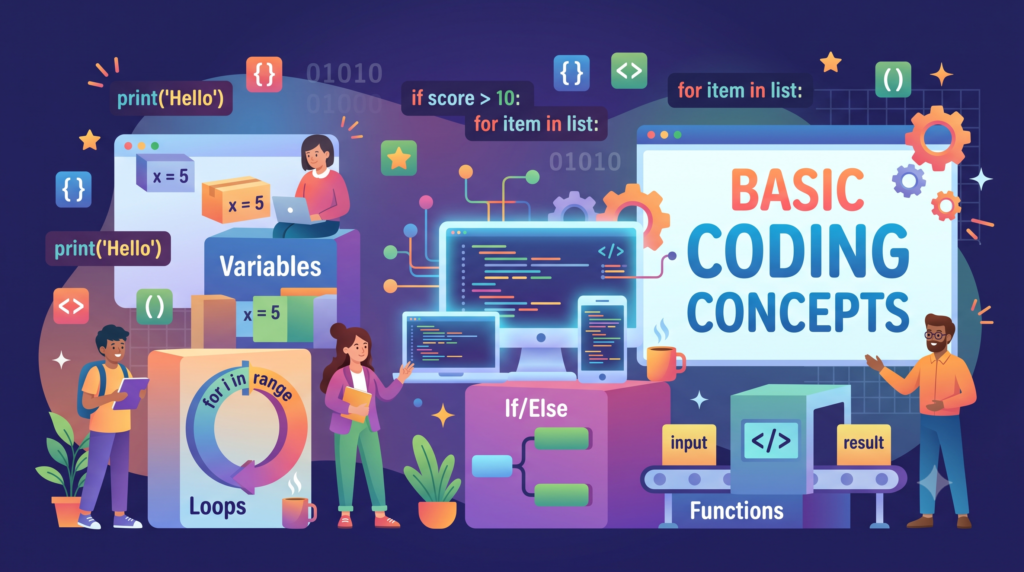
Every app, website and game you use runs on a small set of ideas. Once you understand these basic coding concepts, any programming language starts to look familiar, because the syntax changes while the thinking stays the same. This guide walks through the programming fundamentals that matter most, explains each one in plain English, and shows short code examples so you can see how the ideas work in practice.
You do not need a math degree or years of experience to follow along. You only need curiosity and a willingness to experiment. By the end, you will know the core building blocks of code, the order in which to learn them, the mistakes to avoid, and how to turn these skills into real websites and software. If you already build or manage websites, you will also see how these ideas connect to the work behind a custom website design and development project.
What Are Basic Coding Concepts and Why Do Programming Fundamentals Matter?
Basic coding concepts are the universal building blocks shared by almost every programming language. They describe how a program stores information, makes decisions, repeats tasks, and organizes its own instructions. Python, JavaScript, Java and C# all use them, just with different spelling and punctuation.
Learning the concepts first has a practical payoff. Syntax is easy to look up, but the logic behind it cannot be copied and pasted. A beginner who understands how loops and conditions work can pick up a second language in weeks, while a beginner who only memorized one language’s commands often feels lost when anything changes.
It also helps to separate two words people often mix up. Coding means writing instructions in a programming language. Programming is the wider process of planning, writing, testing and improving software. Good programmers spend far more time thinking and testing than typing, which is why fundamentals matter more than speed.
Basic Coding Concepts at a Glance
Here is a quick map of the nine concepts covered in this guide, so you can see how they fit together before we go deeper.
| Concept | What It Does | Everyday Comparison |
|---|---|---|
| Variables and data types | Store and label information | A labeled storage box |
| Operators | Calculate and compare values | A calculator |
| Conditional statements | Make decisions | A traffic light |
| Loops | Repeat actions | Washing every dish in a pile |
| Functions | Package reusable instructions | A recipe card |
| Data structures | Organize groups of data | A filing cabinet |
| Algorithms | Solve problems step by step | Driving directions |
| Debugging | Find and fix errors | Proofreading |
| Version control | Track changes over time | An undo history for a whole project |
Concept 1: Variables and Data Types
A variable is a named container that holds a value your program can use later. You choose the name, store something inside, and read it back whenever you need it. Variables are the most basic coding concept because nothing else works without stored data.
python
name = "Maya"
age = 29
price = 19.99
is_member = True
Each value has a data type, which tells the computer how to treat it. The most common data types are integers for whole numbers, floats for decimals, strings for text, and booleans for true or false values. Mixing them up causes classic beginner bugs, such as trying to add the text “5” to the number 5 and getting an error or an unexpected result.
Good variable names describe their purpose. A name like total_price tells the next reader far more than x does, and that reader is often you, a month later.
Concept 2: Operators and Expressions
Operators are the symbols that act on values. Arithmetic operators handle math, comparison operators ask questions, and logical operators combine those questions.
python
total = 5 + 3 * 2
is_adult = age >= 18
can_enter = is_adult and is_member
Arithmetic includes addition, subtraction, multiplication, division and remainder. Comparison operators such as greater than, less than and equals return a boolean. Logical operators such as and, or and not let you build more detailed rules. A single combined line like the last one above is called an expression, and learning to read expressions slowly, one piece at a time, is a habit that pays off for years.
Concept 3: Conditional Statements and Decision Making
Conditional statements let a program choose what to do. The idea mirrors daily life: if it is raining, take an umbrella, otherwise leave it at home. In code, the pattern is if, else if and else.
python
if age >= 18:
    print("Access granted")
elif age >= 13:
    print("Teen access")
else:
    print("Access denied")
The program checks each condition from top to bottom and runs the first block whose condition is true. Pay attention to the order, because a broad condition placed first can swallow cases that you meant for a narrower one. Conditional statements power login checks, shopping cart rules, form validation and nearly every feature that reacts to user input.
Concept 4: Loops and Iteration
Loops repeat a block of code so you do not have to write it many times. A for loop runs a set number of times or once per item in a collection. A while loop keeps running as long as a condition stays true.
python
for number in range(1, 6):
    print(number)

count = 0
while count < 3:
    print("Hello")
    count = count + 1
Loops are the reason a program can process ten thousand records as easily as ten. The most common beginner trap is the infinite loop, which happens when the condition never becomes false. If you forget to update count in the example above, the program will never stop. Always ask what will eventually end the loop before you run it.
Concept 5: Functions and Code Reusability
A function is a named block of code that performs one job and can be used again and again. You define it once, then call it whenever you need that job done. Functions keep programs short, organized and easier to fix.
python
def calculate_total(price, tax_rate):
    return price + (price * tax_rate)

print(calculate_total(100, 0.08))
The values you pass in are called parameters, and the value the function hands back is the return value. A useful rule is to give each function a single responsibility. If you cannot describe what a function does in one short sentence, it probably does too much. Writing small functions also makes testing easier, because each piece can be checked on its own.
Functions are also the doorway to bigger ideas. Some languages build entire programs out of pure functions, and our functional programming languages guide explains how that style works once you are comfortable with the basics.
Concept 6: Data Structures: Arrays, Lists, and Objects
Data structures organize many values so you can store, find and change them efficiently. The first one most beginners meet is the list, called an array in some languages. It holds an ordered collection of items.
python
fruits = ["apple", "banana", "mango"]
print(fruits[0])
fruits.append("orange")
Dictionaries, also known as objects or hash maps, store data as pairs of keys and values, which is ideal for describing a single thing with several properties.
python
user = {"name": "Maya", "age": 29, "city": "Austin"}
print(user["name"])
This key and value pattern is everywhere on the web. Data sent between servers and browsers is usually written in a format built on exactly this idea, and the JSON syntax and square brackets guide shows how to read and write it without confusion. Later on you will meet stacks, queues, sets and trees, but lists and dictionaries cover most beginner needs.
Concept 7: Algorithms and Problem Solving
An algorithm is a clear sequence of steps that solves a problem. It sounds academic, but you already use algorithms when you follow a recipe or give someone directions. In programming, the skill is breaking a large problem into small steps a computer can follow.
Take a simple example: finding the largest number in a list.
python
numbers = [4, 9, 2, 17, 6]
largest = numbers[0]
for n in numbers:
    if n > largest:
        largest = n
print(largest)
This tiny algorithm combines a variable, a loop, a condition and a list, which shows how the basic coding concepts work as a system rather than a checklist. A reliable problem solving routine is to restate the problem, work a small example by hand, write the steps in plain language, and only then write code. Beginners who skip the plain language step usually spend more time stuck.
Concept 8: Debugging and Error Handling
Every programmer writes bugs, including experienced ones. Debugging is the skill of finding what went wrong and fixing it, and it is a core part of learning to code rather than a sign that you are doing badly.
There are three broad kinds of errors. Syntax errors break the language rules, such as a missing bracket. Runtime errors happen while the program runs, such as dividing by zero. Logic errors let the program run but produce the wrong answer, and they are the hardest to spot.
Practical debugging habits include reading the error message from the bottom up, printing variable values to see what is really happening, and testing one small change at a time. Languages also let you handle errors gracefully with try and except blocks.
python
try:
    result = 10 / user_input
except ZeroDivisionError:
    print("Please enter a number above zero")
Messages can look cryptic at first, but many have well known causes. If you run into unfamiliar codes while practicing, resources such as our explanation of what error code 0 means and how to fix it and the guide to what a checksum error is can help you tell a real fault from a harmless warning.
Concept 9: Version Control and Clean Code Habits
Version control records every change you make to your code so you can review history, undo mistakes and work with other people. Git is the standard tool, and GitHub is the most popular place to host Git projects. Even a solo beginner benefits, because you can experiment boldly knowing you can always return to a working version.
Start with four habits: create a repository for each project, commit small changes with clear messages, use branches for new ideas, and push your work to a remote copy as a backup. If you want a hands-on example of cloning and setting up a project from a repository, the GitHub install and setup guide walks through that workflow step by step.
Clean code habits belong here too. Use meaningful names, keep functions short, add comments that explain why rather than what, and format code consistently. Readable code is easier to debug, and debugging is where beginners spend most of their time.
Best Programming Language to Learn Basic Coding Concepts
Because the concepts transfer, the first language matters less than people fear. Still, a sensible choice makes the early weeks smoother.
Python is the most common recommendation. Its syntax reads almost like English, it needs little setup, and it is widely used in data science, automation and artificial intelligence. JavaScript is the best pick if you want to build interactive websites, since it runs directly in every browser. Java and C# suit learners who prefer strict structure and plan to work on large applications or games, though their syntax is heavier for a first week.
Pick one and stay with it for at least three months. Switching languages every few weeks is one of the fastest ways to learn nothing deeply. Once you are fluent in the concepts above, a second language usually takes a fraction of the time.
Recommended Order to Learn Coding Fundamentals
The concepts are not equally foundational, and order matters. Here is a path that works well for most beginners.
- Start with variables, data types and operators, because everything else depends on them.
- Move to conditional statements and loops, which give your programs logic and repetition.
- Learn functions, then practice splitting your own code into small reusable pieces.
- Study lists and dictionaries so you can handle real collections of data.
- Practice algorithms and debugging together, since each one sharpens the other.
- Add version control as soon as you build your first multi-file project.
Do not rush through a stage because it feels easy. Writing the same idea three different ways is how a concept moves from understood to automatic.
How to Practice Coding Concepts With Beginner Projects
Reading about code teaches vocabulary, while building projects teaches fluency. Choose small projects that force you to combine several concepts at once.
- A number guessing game uses variables, conditions, loops and random numbers.
- A to-do list manager uses lists, functions and basic input handling.
- A tip and tax calculator uses operators, functions and data types.
- A simple contact book uses dictionaries, loops and file storage.
- A text based quiz uses lists, conditions, scoring variables and functions.
Set a small goal each session, such as adding one new feature, and finish it before starting something else. When you get stuck, shrink the problem until you can solve one piece, then rebuild upward. Joining a study group or a coding community also keeps you accountable and exposes you to other people’s solutions.
Common Mistakes Beginners Make When Learning to Code
Knowing the usual traps saves weeks of frustration.
- Copying code without understanding it. Type it yourself and explain each line aloud.
- Tutorial hopping. Finishing five half-finished courses teaches less than finishing one.
- Fearing errors. Error messages are free hints, not verdicts on your ability.
- Skipping the plan. Writing steps in plain language first prevents most logic errors.
- Memorizing syntax. Look it up as often as you need to, and focus on understanding.
- Practicing in long, irregular bursts. Thirty to sixty minutes a day beats one long weekend session.
From Basic Coding Concepts to Real Websites and Apps
Once the fundamentals feel comfortable, you can apply them to something people will actually use. The most common next step is web development, where HTML structures a page, CSS styles it, and JavaScript adds behavior using every concept covered above. Our step by step guide to making a website is a good next read for turning code knowledge into a live project.
If you prefer to see what visual tools can do before writing everything by hand, the drag and drop website builder guide shows where no-code tools fit and where custom code still wins. Learners interested in automation and artificial intelligence can explore building agentic AI applications once they are comfortable with functions and data structures.
Eventually many people need a team for larger builds. If a project grows past what you want to handle alone, software development consulting or professional WordPress development services in Orange County can help you move from learning to launching.
Frequently Asked Questions About Basic Coding Concepts
What are the basic concepts of coding?
The basic concepts of coding are variables, data types, operators, conditional statements, loops, functions, data structures, algorithms and debugging. Most languages share them, so learning them once prepares you for any language.
How long does it take to learn basic coding concepts?
Most beginners can understand the core ideas in four to eight weeks with regular practice. Becoming comfortable enough to build small projects on your own usually takes a few months, depending on how often you practice.
Do I need to be good at math to learn coding?
No. Everyday web and app development relies mostly on logic and clear thinking, with only simple arithmetic. Advanced fields such as graphics, machine learning and data science use more math, but you can learn it later.
Which language should I learn first?
Python is a strong first choice for general learning, and JavaScript is ideal if you want to build websites. Either works well, because the concepts carry across languages.
What is the difference between coding and programming?
Coding is writing instructions in a programming language. Programming covers the whole process, including planning, building, testing and maintaining software.
Conclusion: Master the Fundamentals and Everything Else Gets Easier
Basic coding concepts are the foundation of every technical skill that follows. Variables store information, conditions make decisions, loops repeat work, functions organize logic, data structures hold collections, algorithms solve problems, debugging fixes mistakes, and version control protects your progress. Learn them in order, practice with small projects, and treat errors as part of the process.
If you are ready to apply these skills to a real business website, our team can help you plan, design and build it. You can contact The Cloud Republic or book a call to discuss your project.