
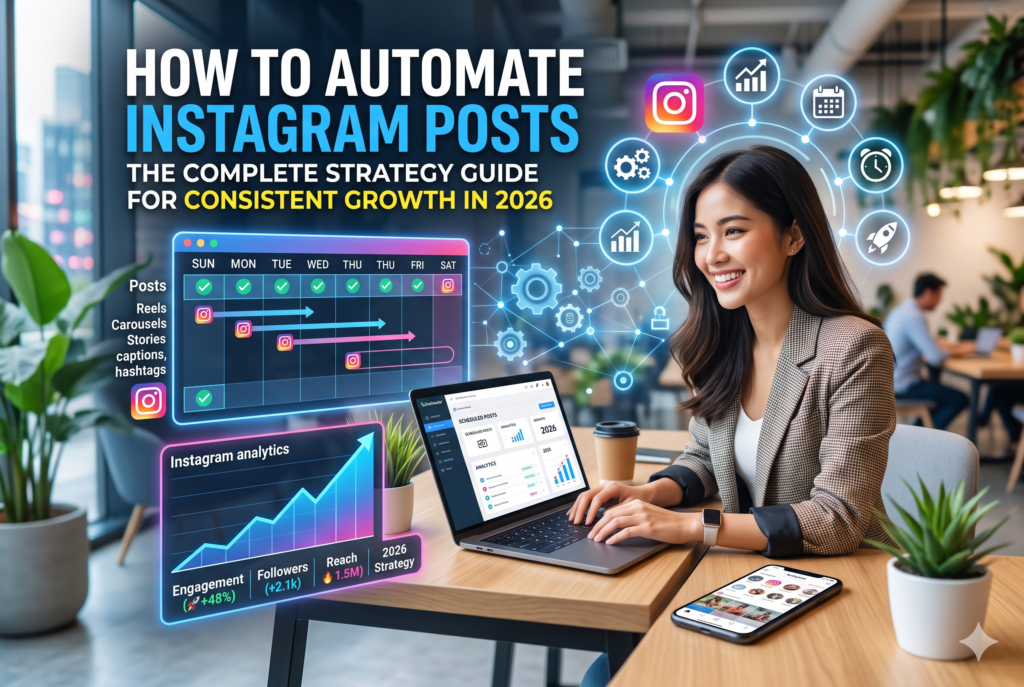
Introduction
Consistency is the single most important factor in Instagram growth. The algorithm rewards accounts that post regularly, engage promptly, and maintain predictable publishing cadences. For businesses managing multiple channels, clients, or campaigns, that level of consistency is nearly impossible to sustain manually.
Automating Instagram posts solves that problem. It allows you to plan content in batches, schedule posts at optimal times, maintain a consistent brand voice, and free your team from the daily pressure of real-time publishing, without sacrificing content quality or authenticity.
This guide walks through the full process: the tools available, the workflows that work, the compliance considerations you need to understand, and the strategy decisions that determine whether automation helps or hurts your account.
Why Instagram Automation Matters for Business Accounts
Instagram functions as a discovery platform, a brand awareness channel, and increasingly a direct commerce channel. Businesses that publish inconsistently lose visibility in the algorithm, lose follower trust, and miss conversion opportunities.
The business case for automating Instagram posts is straightforward:
Time efficiency: Batching content creation and scheduling in one session per week takes less total time than logging in daily to publish individual posts. A team member who spends three hours batching content on Monday delivers more consistent output than someone who scrambles for fifteen minutes each morning.
Strategic consistency: When posts are scheduled in advance, you can ensure they align with campaign timelines, product launches, seasonal trends, and content calendar objectives. Reactive, manual posting rarely maintains that level of strategic coherence.
Cross-channel coordination: Instagram content often supports broader campaign objectives that also involve email, paid ads, and website landing pages. Scheduling tools allow you to coordinate Instagram publishing with the timing of your other channel activities. This matters especially if you are running small business automation across your entire marketing and operations stack.
What Can and Cannot Be Automated on Instagram
Instagram’s API determines what is technically automatable. Understanding these boundaries prevents compliance issues and account restrictions.
What you can automate:
- Feed posts (photos, videos, carousels)
- Reels publishing (via approved third-party schedulers)
- Story scheduling (limited to certain API-approved tools)
- Caption writing assistance using AI
- Hashtag research and insertion
- Performance reporting and analytics
What you should not automate:
- Automated commenting on other accounts’ posts (violates Meta’s terms)
- Mass following or unfollowing (violates terms and triggers restrictions)
- Automated DM outreach in bulk (against policy)
- Auto-liking at high volume
Stick to content publishing automation and stay away from engagement manipulation. Instagram’s detection systems have become sophisticated enough to identify inauthentic engagement patterns, and penalties range from reach suppression to account suspension.
The Right Tools for Scheduling Instagram Posts
Meta Business Suite
Meta’s native scheduling tool is free and fully API-compliant. It supports feed posts, Reels, and Stories scheduling for both Instagram and Facebook simultaneously. For businesses that manage their social presence without a large agency budget, Meta Business Suite is the logical starting point.
Limitations include a basic interface, limited analytics depth, and no cross-platform scheduling beyond Meta’s own properties.
Third-Party Scheduling Platforms
Tools like Buffer, Later, Hootsuite, Sprout Social, and Publer offer more sophisticated scheduling workflows, visual content calendars, multi-platform support, and deeper analytics.
When evaluating these platforms, look for:
- Instagram API compliance (not unofficial workarounds)
- Bulk upload capability
- First-comment scheduling for hashtag blocks
- Story scheduling
- Approval workflows if you manage client accounts
For agencies or businesses managing multiple brand accounts, these platforms pay for themselves quickly in hours saved per week.
AI-Assisted Caption Generation
Newer scheduling tools now include AI caption writers that can draft copy based on your image, product description, or campaign brief. This accelerates content production without requiring every post to be written from scratch. AI-generated captions still require human review and brand voice editing before scheduling, but they significantly reduce the time from concept to published post.
Building an Instagram Content Automation Workflow
A repeatable workflow is what transforms occasional scheduling into a genuine system. Here is a workflow that works for most business accounts:
Step 1: Define Your Content Pillars
Before you can batch-create or schedule content, you need to know what you are publishing. Content pillars are two to five recurring themes that define what your account talks about. For a technology services company, pillars might include client results, behind-the-scenes team content, educational tips, product or service spotlights, and industry commentary.
Content pillars give your content calendar a structure that can be filled systematically rather than invented fresh every week.
Step 2: Batch Create Content Weekly or Biweekly
Set a recurring block on your calendar for content creation. During this session, produce all the creative assets and captions for the upcoming period. This might involve designing graphics, editing short videos, writing captions, and finalizing hashtag sets.
Batching works because creative work benefits from momentum. It is far more efficient to write eight captions in one sitting than to context-switch back to caption writing eight times across the week.
Step 3: Upload and Schedule
Import your assets and captions into your scheduling tool. Set your publish times based on your account’s peak engagement windows, which your analytics will show you. For most B2B accounts, mid-week morning and early afternoon slots outperform weekend and late-night times.
If your website runs on WordPress, integrating your social scheduler with your content workflow is simpler when your WordPress API integration services are set up to push blog content directly into your scheduling queue.
Step 4: Monitor and Engage After Publishing
Automation handles publishing, but engagement still requires a human. Set a daily check-in to respond to comments and DMs. Instagram’s algorithm factors engagement velocity in the first hour after a post goes live, so prompt responses to early comments help boost initial reach.
Step 5: Review Analytics Weekly
Most scheduling platforms offer weekly performance reports. Review reach, impressions, profile visits, saves, and link clicks at the post level. Use this data to identify which content types and posting times produce the best results, and adjust your calendar accordingly.
Hashtag Strategy for Scheduled Posts
Hashtags remain a viable discovery mechanism on Instagram in 2026, though their impact has evolved. Current best practices recommend using ten to fifteen targeted hashtags rather than the maximum thirty.
Mix hashtag tiers:
- High-volume tags (over one million posts): high competition, but broad exposure
- Mid-volume tags (50,000 to 500,000 posts): better discoverability for niche audiences
- Low-volume niche tags (under 50,000 posts): highest relevance, easiest to rank in
Most scheduling tools support first-comment hashtag placement, which keeps your caption clean while still capturing hashtag discovery. This approach is particularly useful for brand accounts where cluttered captions undermine the aesthetic.
Content Types That Perform Well When Scheduled in Advance
Carousels: Carousels generate higher save rates and longer dwell times than single-image posts. They work well for educational content, step-by-step guides, and before-and-after showcases.
Reels: Short-form video is still the highest-reach content format on Instagram. Reels can be batch-recorded and scheduled, though they benefit from timely audio trends. Pre-record evergreen Reels during batch sessions and reserve trend-responsive content for more spontaneous publication.
Quote graphics and data visualizations: These are among the most shareable content formats for B2B accounts. Well-designed stat graphics and industry insights get saved and re-shared far more than promotional posts.
For businesses that offer AI-powered lead generation tools, Instagram content that demonstrates results numerically tends to generate significantly higher engagement than feature-focused promotional posts.
Connecting Instagram Automation to Your Broader Marketing Stack
Instagram automation should not operate in isolation. When your social scheduling connects to your email platform, your CRM, and your ad accounts, you can create coordinated campaigns where Instagram, email, and paid retargeting reinforce the same message simultaneously.
For example: a new blog post goes live on your website, triggers an automated email to your list, gets scheduled to publish on Instagram, and gets pushed as a boosted post to a retargeting audience. That level of coordination requires integration between your platforms, which is exactly what digital consulting and process automation services help businesses design and implement.
Frequently Asked Questions
Q: Does scheduling Instagram posts hurt reach?
No. Meta’s API-compliant scheduling tools do not penalize reach. Early claims that scheduling reduced reach stemmed from businesses using unofficial third-party tools that violated the API. Using approved tools does not affect algorithmic distribution.
Q: How far in advance can you schedule Instagram posts?
Most scheduling platforms allow you to schedule posts weeks or months in advance. Meta Business Suite typically allows scheduling up to 29 days ahead. Third-party tools generally have no hard limit.
Q: Can you automate Instagram Stories?
Yes, but with limitations. Story scheduling is supported by some API-approved tools, though certain interactive elements like polls and question stickers cannot be pre-populated through the API and must be added manually after posting.
Q: How many times per week should a business post on Instagram?
Three to five times per week is a sustainable and effective frequency for most business accounts. Posting daily is possible but only if content quality is maintained. Frequency without quality degrades engagement rates and trains your audience to skip your content.
Q: Is it safe to use third-party tools to schedule Instagram posts?
Yes, as long as the tool is officially approved by Meta’s API program. Always verify that any tool you use operates within Meta’s published API terms. Avoid tools that promise automation of follows, likes, or comments, as these violate platform policy regardless of the vendor’s claims.